




















Zero Brokerage Trading App: Features, Benefits, and Things to Know Before Choosing a Trading Platform
Explore a zero brokerage trading app, compare trading features, understand applicable charges, and discover convenient mobile trading options.
The growth of digital technology has transformed how people access the stock market. Today, mobile applications allow users to monitor share prices, explore financial markets, manage their portfolios, and access trading facilities directly from their smartphones. Among the available options, a zero brokerage trading app attracts attention from users looking for platforms with lower brokerage costs.
Brokerage is an important factor to consider when selecting a trading platform because it can affect the overall cost of buying and selling securities. However, choosing an application should not depend only on brokerage charges. Features, security, usability, customer support, and other applicable fees are equally important.
Whether someone is learning about the stock market or comparing different trading platforms, understanding how zero brokerage services work can help them make more informed decisions.
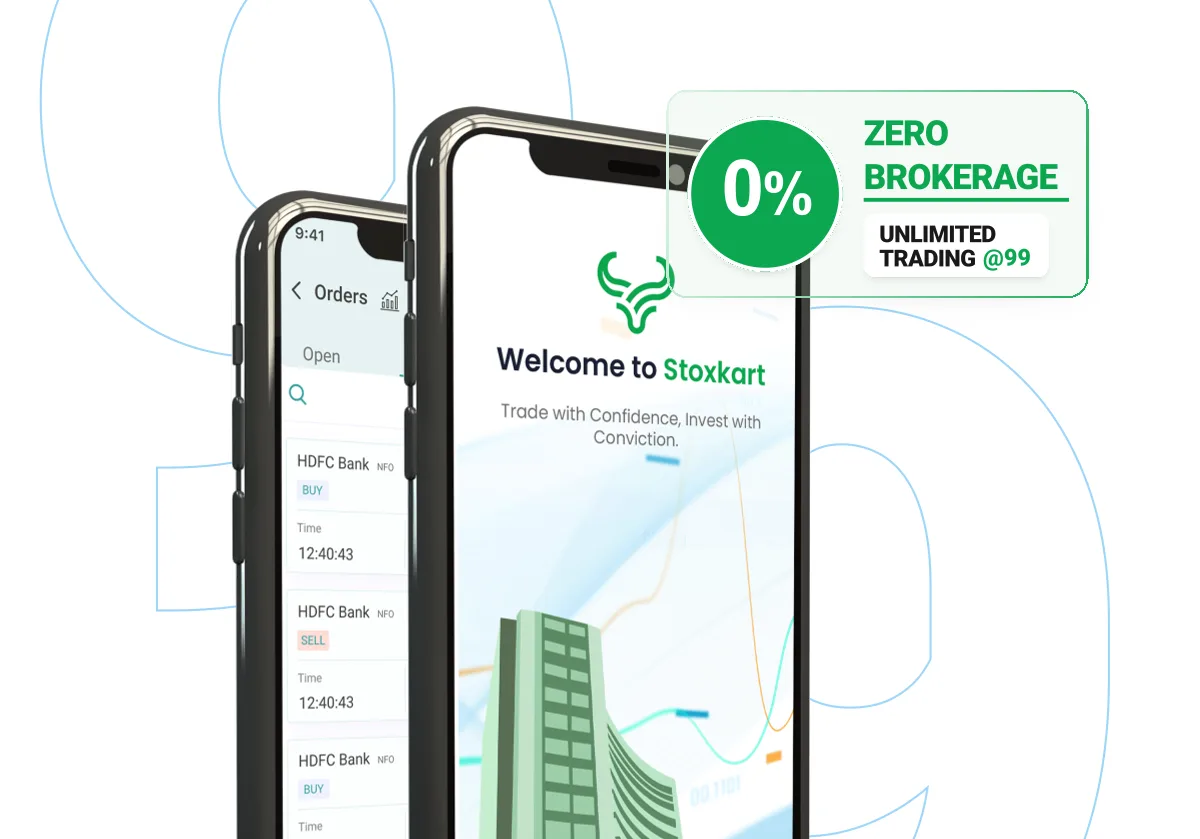
What Is a Zero Brokerage Trading App?
A zero brokerage trading app is a mobile trading platform that offers zero brokerage on specified transactions or eligible trading segments under its pricing structure.
Traditionally, stockbrokers charge brokerage fees for executing certain buy and sell transactions. Zero brokerage models aim to reduce or eliminate these particular charges for eligible transactions.
However, zero brokerage does not necessarily mean completely free trading. Other costs may still apply, including:
-
Securities Transaction Tax (STT).
-
Exchange transaction charges.
-
GST on applicable services and charges.
-
SEBI turnover fees.
-
Stamp duty.
-
Depository Participant (DP) charges.
-
Account maintenance charges, where applicable.
Therefore, users should carefully review the complete pricing structure before selecting a trading platform.
How Does Zero Brokerage Trading Work?
Zero brokerage trading generally works through a pricing model in which the broker does not charge brokerage for specified transactions or trading segments.
The exact benefits depend on the broker's terms and conditions.
For example, some platforms may offer zero brokerage on delivery-based equity transactions, while others may provide different pricing arrangements for intraday or other eligible segments.
Before opening an account, users should understand:
Eligible Trading Segments: Check whether zero brokerage applies to equity delivery, intraday trading, futures, options, or other available segments.
Applicable Conditions: Review the broker's terms to understand any restrictions, transaction limits, or eligibility requirements.
Additional Charges: Check statutory charges, exchange fees, account fees, and other costs.
Pricing Transparency: Choose a platform that clearly explains its brokerage structure and associated charges.
Understanding these details helps users compare trading platforms more accurately.
Important Features to Look for in a Zero Brokerage Trading App
Brokerage is only one part of the overall trading experience. A suitable application should also provide useful tools and reliable account services.
1. Easy-to-Use Interface
A simple interface makes it easier to navigate the application and access important features. Users should be able to check stock prices, explore market information, manage watchlists, and review their portfolios without unnecessary complications.
A well-organised dashboard can improve the overall mobile trading experience.
2. Live Stock Market Updates
Stock prices and market conditions can change throughout the trading session. Access to timely market information helps users monitor selected stocks and understand market movements.
A useful trading application may provide:
-
Live stock price information.
-
NIFTY and SENSEX updates.
-
Market charts.
-
Price alerts.
-
Stock watchlists.
-
Financial news and notifications.
These features help users stay informed about market developments.
3. Advanced Charting Tools
Charts are useful for understanding historical price movements and studying market trends. Many trading applications offer interactive charts and technical indicators.
Common charting facilities include:
-
Candlestick charts.
-
Line charts.
-
Technical indicators.
-
Different chart timeframes.
-
Historical price information.
-
Volume analysis.
These tools can support market research, but they cannot guarantee future price movements or trading results.
4. Secure Account Management
Security is essential when using a financial application. Users should check whether a platform provides appropriate authentication, account verification, and data protection measures.
It is also important to use strong passwords and protect account credentials.
5. Portfolio Tracking
Portfolio management tools allow users to review their holdings and monitor investment performance.
Depending on the platform, users may be able to access holdings information, transaction history, portfolio summaries, and other account-related details.
Benefits of Using a Zero Brokerage Trading App
Zero brokerage arrangements can offer several advantages when they apply to the transactions a user makes.
Lower Brokerage Expenses
The primary benefit is the possibility of reducing brokerage costs on eligible transactions. This can help users understand and manage their overall trading expenses.
Transparent Cost Structure
Platforms with clearly explained pricing structures make it easier to understand the charges associated with trading activities.
Convenient Mobile Access
Users can access supported trading services through their smartphones, making it easier to monitor markets and manage their accounts.
Better Transaction Monitoring
Order history and transaction records allow users to review previous activities and understand the costs associated with their transactions.
Access to Trading Information
Many applications provide market updates, charts, watchlists, and financial information that can help users follow stock market developments.
How to Choose the Right Trading App
Selecting a trading application requires more than comparing brokerage charges. Consider these factors before choosing a platform.
Compare Complete Charges: Review brokerage, statutory charges, account maintenance fees, and other applicable costs.
Check Available Segments: Understand which financial instruments and trading segments are supported.
Review Application Performance: Look for convenient navigation, useful features, and reliable account access.
Verify Broker Registration: Check the broker's registration details and relevant regulatory information.
Explore Customer Support: Review the available assistance channels for account-related queries.
Understand Security Features: Check account protection, authentication, and privacy practices.
A platform that offers suitable features and transparent pricing can provide a more convenient experience.
Explore the Stoxkart Trading App for Android and iOS
Users exploring mobile trading platforms can consider the Stoxkart application, which is available for Android and iOS devices.
Its official app listings highlight several trading-related features designed to help users access market information and manage their trading activities.
Some of the features highlighted in the listings include:
-
Live information on major Indian market indices.
-
Interactive charts powered by TradingView and ChartIQ.
-
Customisable stock watchlists.
-
GTT and limit order facilities.
-
Options chain information and analysis tools.
-
Portfolio and holdings information.
-
Order management facilities.
-
Funds transfer and withdrawal options.
-
Market-related updates and notifications.
Users can explore the official application listings to review the available features, current pricing information, account requirements, and applicable charges.
Download links:
-
Android: Download from Google Play Store
The availability of individual features and services may vary depending on the operating system, account eligibility, and applicable terms.
Common Charges Associated with Stock Trading
Even when a broker offers zero brokerage on eligible transactions, other statutory and service-related charges may apply.
Here are some common charges users should understand:
STT: Securities Transaction Tax is a government-imposed tax applicable to specified securities transactions.
Exchange Transaction Charges: Stock exchanges levy charges on transactions carried out through their platforms.
GST: Goods and Services Tax applies to specified brokerage and other taxable services.
Stamp Duty: Applicable stamp duty is collected on eligible securities transactions.
DP Charges: Depository Participant charges may apply when securities are sold from a Demat account.
Understanding these costs helps users evaluate the actual expense of using a trading platform.
Conclusion
A zero brokerage trading app can be an option for users looking to reduce brokerage expenses on eligible transactions. However, selecting the right platform requires considering more than just its brokerage model.
Features such as an easy-to-use interface, market updates, advanced charts, watchlists, portfolio tracking, security, and customer support also contribute to the overall experience.
Before choosing an application, users should compare pricing structures, understand applicable charges, and review the services offered by different platforms. Understanding the financial risks associated with stock market transactions is equally important.
Making an informed choice can help users access trading facilities more conveniently while keeping their overall trading costs in perspective.
What's Your Reaction?
 Like
0
 Dislike
0
 Love
0
 Funny
0
 Angry
0
 Sad
0
 Wow
0