















Cloud Onboarding and GPU Cloud Gaming: A Smarter Way to Work, Play, and Store Files
Cloud computing is changing how people access powerful computers, collaborate with teams, and manage digital files. Instead of purchasing expensive hardware for every task, individuals and businesses can use cloud PCs
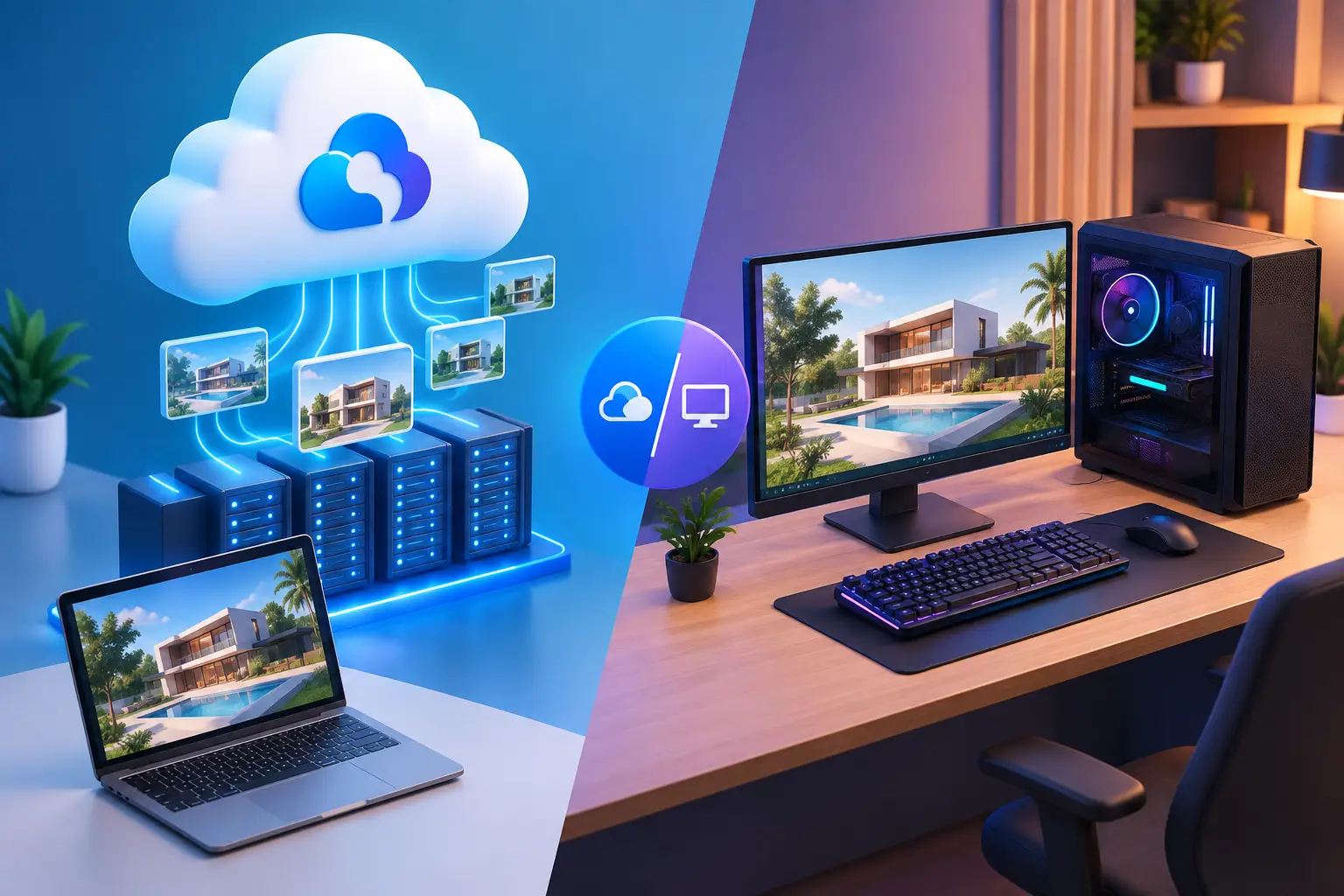
Cloud computing is changing how people access powerful computers, collaborate with teams, and manage digital files. Instead of purchasing expensive hardware for every task, individuals and businesses can use cloud PCs, GPU-powered workstations, and cloud storage to access the resources they need.
Two important areas of this shift are cloud onboarding and GPU cloud gaming. Cloud onboarding helps people and teams get started with remote computing environments, while GPU cloud gaming gives players access to graphics-processing power without requiring a high-end gaming PC at home.
Platforms such as SensePC bring these ideas together through cloud desktops, flexible computing options, and Sense Cloud storage.
What Is Cloud Onboarding?
Cloud onboarding is the process of preparing a user, employee, or organization to use cloud-based applications, desktops, storage, and other digital services.
For businesses, onboarding may involve creating user accounts, configuring access permissions, inviting team members, setting up billing, and provisioning cloud desktops. For individual users, it can mean selecting a computer configuration, launching a virtual desktop, connecting to it, and learning how to manage files and applications.
An effective cloud onboarding process should make it easy to:
-
Create or configure a cloud computer.
-
Access the desktop from a supported device.
-
Set up applications and user permissions.
-
Transfer and organize files.
-
Understand usage, billing, and security controls.
-
Find tutorials and support when needed.
A well-organized onboarding experience can reduce setup friction and help users become productive sooner.
How Cloud Onboarding Supports Remote Teams
Remote and hybrid teams often work across different locations, devices, and operating systems. Providing each employee with a physical workstation can involve purchasing hardware, installing software, and maintaining individual machines.
A cloud desktop approach offers another option. Team members can connect to configured computing environments remotely, while administrators manage access and resources according to their organization's needs.
When evaluating a cloud onboarding solution, businesses should consider the following factors:
Access management: Can administrators control who can access each environment?
Consistent configurations: Can employees use computing environments with the software and resources required for their roles?
Scalability: Can the organization provision additional cloud desktops as the team grows?
Cost visibility: Can administrators monitor usage and choose an appropriate billing arrangement?
Guidance and documentation: Are setup instructions and tutorials available to help users complete common tasks?
These features can make onboarding more repeatable and help reduce the manual work associated with preparing new users.
What Is AirGPU Cloud Gaming?
AirGPU is a service associated with rented cloud gaming PCs. Searching for AirGPU cloud gaming often reflects a broader question: how can gamers rent a powerful remote computer instead of buying and maintaining their own gaming hardware?
The answer depends on the service's configuration, pricing structure, location, and access model. Some cloud gaming platforms stream selected games from a managed catalog. Other services provide a full virtual gaming PC, allowing users to install compatible games and applications within a remote Windows environment.
Before choosing a service, compare:
-
GPU performance: Check the graphics hardware and memory available for your games.
-
CPU and RAM: These affect overall performance, particularly in demanding or CPU-intensive titles.
-
Storage: Persistent storage can help keep installed games and settings between sessions.
-
Pricing: Compare hourly, daily, and monthly costs based on your expected usage.
-
Network latency: A nearby server and a stable internet connection can improve responsiveness.
-
Game compatibility: Confirm that your preferred games, launchers, and anti-cheat systems are supported.
The best cloud gaming setup is not necessarily the one with the most powerful GPU. It is the one that fits your games, connection quality, budget, and usage habits.
How SensePC Fits into GPU Cloud Gaming
SensePC provides a full Windows cloud PC that users can access remotely rather than relying solely on a fixed game-streaming catalog. Depending on the selected configuration, users can choose GPU-powered computing for compatible games and other demanding workloads.
The platform offers flexible Hourly, Daily, and Monthly access options. Persistent SSD storage helps retain installed games, files, and settings between sessions, while supported Windows and macOS computers can use Performance Mode through the native client.
For gamers comparing cloud PC services, the practical questions are whether the desired games are compatible, which configuration provides sufficient performance, and how much the setup will cost over time.
Learn more about the available configurations at SensePC.
What Is Sense Cloud?
Sense Cloud is SensePC's cloud storage solution for storing, organizing, previewing, and sharing files across devices. It can complement a cloud PC workflow by helping users manage files separately from the device they use to connect.
Cloud storage can be useful for remote teams, developers, creators, and gamers who need access to project files or other digital assets across different devices. However, users should understand the difference between cloud storage and a cloud desktop: storage holds files, while a cloud desktop provides a remote computing environment for running applications.
When evaluating a cloud storage service, consider storage capacity, access controls, file-sharing options, synchronization behavior, and the provider's retention and security policies.
Explore the SensePC tutorials to learn more about Sense Cloud and the platform's other features.
Cloud PCs and Cloud Storage: How They Work Together
A cloud PC and cloud storage serve different purposes, but they can support the same workflow.
For example, a remote employee may use a cloud desktop to run business applications and access a separate cloud storage service to organize and share documents. A developer may use a remote workstation for coding while keeping project files available through a supported storage workflow. A gamer may use a cloud gaming PC for processing and rendering while maintaining personal files and settings on persistent storage.
The important consideration is how data moves between these services. Users should verify which files are stored on the cloud desktop, which are stored separately, and how to transfer or share them securely.
Choosing compatible tools and documenting the setup process can make the experience easier to manage. see more: what are some cloud gaming services
How to Choose the Right Cloud Computing Setup
Before selecting a cloud platform, identify your main goal.
For gaming: Compare GPU specifications, game compatibility, latency, persistent storage, and pricing.
For business onboarding: Prioritize user management, access permissions, repeatable setup processes, and cost visibility.
For development and creative work: Evaluate operating system options, CPU and RAM requirements, GPU availability, storage, and software compatibility.
For file management: Look for suitable storage capacity, file organization, sharing controls, and access across devices.
For mixed workloads: Consider whether a configurable cloud PC can support multiple activities without forcing you to maintain separate physical computers.
Cloud computing works best when the service matches a real requirement rather than simply offering more resources than necessary.
Conclusion
Cloud onboarding, GPU cloud gaming, and cloud storage address different challenges within the same broader shift toward flexible computing. Onboarding helps users get started, a GPU-powered cloud PC supplies remote processing and graphics resources, and cloud storage makes files easier to manage across supported workflows.
For individuals and organizations exploring these options, SensePC offers cloud PC configurations for gaming, development, work, and other computing needs, alongside Sense Cloud storage. Comparing features, compatibility, network requirements, and actual usage costs can help you choose a setup that works for your needs.
Frequently Asked Questions
What does cloud onboarding mean?
Cloud onboarding is the process of setting up users, permissions, applications, and cloud resources so that individuals or teams can begin using a cloud service.
What is AirGPU cloud gaming?
The term generally refers to using AirGPU's rented cloud PC service for gaming. Before choosing a provider, compare its current hardware options, pricing, locations, and game compatibility with other cloud PC services.
What is the difference between cloud gaming and a cloud gaming PC?
A cloud gaming service may stream games from a managed catalog. A cloud gaming PC provides a remote computer on which users can install and run compatible games and applications.
What is Sense Cloud?
Sense Cloud is SensePC's cloud storage offering for storing, organizing, previewing, and sharing files across devices.
Can a cloud PC be used for more than gaming?
Yes. Depending on its operating system, configuration, and software compatibility, a cloud PC can support activities such as remote work, software development, learning, and creative projects.
What should I check before renting a GPU cloud PC?
Review the GPU, CPU, RAM, storage, game compatibility, server location, network latency, billing model, and whether your files and settings persist between sessions.
What's Your Reaction?
 Like
0
 Dislike
0
 Love
0
 Funny
0
 Angry
0
 Sad
0
 Wow
0





