













Clover Mini for Service-Based Businesses: Tips for Faster Billing

In today’s service industry, speed and convenience matter more than ever. Customers want quick checkouts, clear billing, and smooth interactions from the moment they walk in until the moment they leave. Whether you run a salon, repair shop, spa, or any business that relies on serving people directly, the way you handle payments can shape how customers feel about your service.
Because of these expectations, using a reliable and easy-to-operate point-of-sale device can make a major difference. A compact system like the Clover Mini offers service businesses a simple way to take payments faster and keep daily operations running smoothly. Its size fits almost anywhere, and its layout is designed so both new and experienced staff can use it with ease. This makes it a practical choice for businesses that want speed without sacrificing accuracy.
Why a Small POS System Works Well for Services
Service-based businesses often deal with back-to-back appointments and busy peak hours. For this reason, the checkout process needs to be as quick as the service itself. A small POS system helps reduce wait times because it takes up little space and is easy for staff to access, even during busy moments. Its touchscreen layout lets employees move through the billing steps quickly, so customers get checked out without unnecessary delays.
The system’s ability to create a clean list of services also helps speed things up. When your menu is organized into categories, staff can find the right service instantly instead of scrolling through cluttered screens. Fewer mistakes happen, and customers get an accurate bill right away. This efficiency also helps build trust, as people appreciate when businesses stay consistent and error-free at checkout.
Saving Customer Information for Faster Return Visits
Many service-based businesses rely heavily on repeat clients. For example, salons, wellness centers, and repair shops often see the same customers regularly. When the system can store customer profiles, the checkout process becomes even faster. Instead of re-entering information each time, staff can quickly pull up past visits or payment preferences. This not only shortens billing time but also makes customers feel remembered and valued.
Profiles can include service history as well. When a client returns for the same treatment or repair, the information is already stored, which helps staff confirm details confidently without slowing down the line.
Appointment and Service Integration
Another helpful feature is the ability to integrate appointment tools or service management apps. When your scheduling system connects directly to your point-of-sale device, you can avoid repeating work. Services completed during an appointment can automatically appear on the screen, ready for checkout. This reduces mistakes, eliminates extra steps, and frees up staff to focus more on customer interactions.
Smooth integration also helps businesses operate with better flow, especially during peak times. With less manual entry, the front desk stays organized and efficient.
Digital Receipts for a Modern Experience
More customers now prefer digital receipts instead of printed ones. Sending receipts by text or email not only saves time but also avoids paper waste. This small improvement speeds up lines and keeps interactions simple. Digital receipts also help customers keep better track of their service history or purchases, which can be useful for follow-up appointments or warranty-related services.
Multiple Payment Methods for Convenience
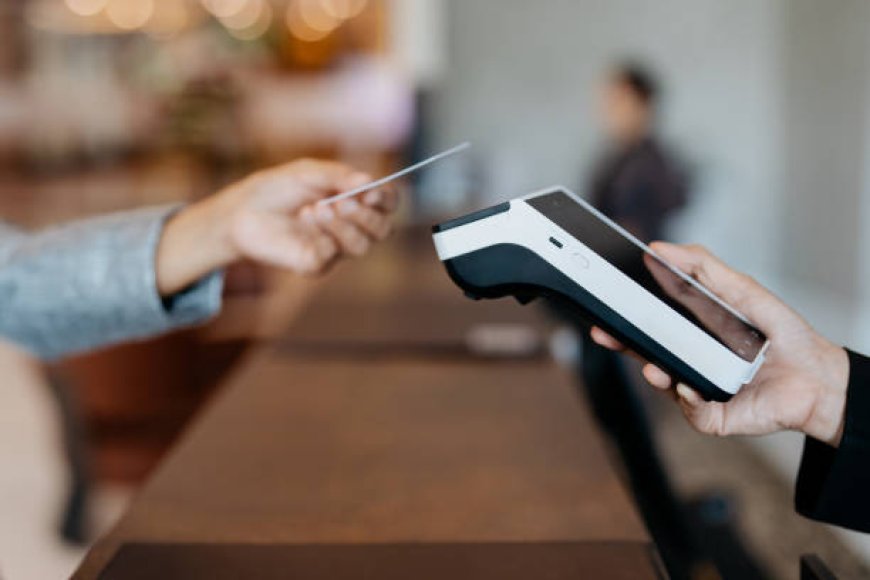
One of the strongest advantages of using a compact point-of-sale system is its ability to accept different types of payments. Whether customers want to pay with cards, digital wallets, tap-to-pay, or gift cards, the process remains quick and smooth. Offering more options prevents delays that could happen if customers need to switch payment methods at the last minute. With a fast and flexible payment experience, your business appears modern and customer-friendly.
If you're looking to learn more about this type of device, you can explore tools like the clover mini to understand how they support fast and efficient service billing.
Customizing the Checkout Screen
Service businesses change their offerings throughout the year, and the POS system should adapt just as easily. Customizing the checkout screen helps staff move quickly by placing the most commonly used services front and center. When seasonal packages or promotional services are available, they can be added temporarily to the main screen for quick access. These small adjustments help maintain a fast pace even when the service menu changes.
Training Employees the Right Way
Even with an easy-to-use POS system, employees still need proper training. When staff know how to apply discounts, process refunds, add tips, or modify service prices, they move through transactions more confidently. This confidence turns into speed. Good training prevents waiting, confusion, or errors that could slow things down during busy times.
Because the system is user-friendly, training doesn’t take long, making it especially helpful for businesses that hire seasonal or part-time workers.
Smooth Tip Management
In many service industries, tips are a normal part of transactions. Clear tip prompts help guide customers through the process without needing extra explanations from staff. When tipping is built directly into the checkout flow, customers can complete the payment quickly, and employees receive fair compensation without awkward moments or delays.
These automatic options also reduce errors, ensuring tips are applied correctly every time.
Tracking Employee Activity
For businesses with multiple service providers, having separate employee logins makes it easier to track who completed which service. This is helpful for commission-based pay or performance reviews. By keeping everything organized within the system, managers save time that would otherwise be spent organizing paperwork or checking records manually. This smoother internal process keeps the overall billing system running efficiently.
Using Reports to Improve Checkout Speed
A point-of-sale device that offers data and reporting can help you understand how your business operates daily. Reports can show which services are most popular, which hours are busiest, and what patterns occur throughout the week. When you understand these patterns, you can adjust staff schedules, organize the checkout area better, or prepare ahead of time for high-traffic hours. These small changes help reduce bottlenecks and make billing faster.
Analytics can also help you recognize when service menus need improvement. If some services take longer to enter or cause confusion, you can reorganize or rename them for clearer use.
Managing Both Services and Products Together
Many service businesses also sell products. When the POS system can handle both, checkout becomes much simpler. Instead of switching between systems or typing product details manually, everything appears in one place. If a stylist recommends a product or a technician suggests an add-on item, it can be added to the bill instantly. This keeps the flow smooth and prevents last-minute delays at the register.
Final Thoughts
Faster billing is one of the easiest ways to improve customer satisfaction in service-based businesses. A compact and flexible system like the Clover Mini supports this goal with organized menus, easy payment options, customer profiles, and helpful integrations. When staff can move through checkout smoothly and customers experience quick, accurate billing, the entire business benefits. A well-designed POS system not only speeds up payments but also creates a more professional and welcoming environment for everyone who walks through your doors.
What's Your Reaction?
 Like
0
Like
0
 Dislike
0
Dislike
0
 Love
0
Love
0
 Funny
0
Funny
0
 Angry
0
Angry
0
 Sad
0
Sad
0
 Wow
0
Wow
0