How to Choose the Right Apple MacBook for Your Needs
Learn how to choose the right Apple MacBook for your needs. Compare models, performance, features, battery life, and pricing to find your ideal MacBook.
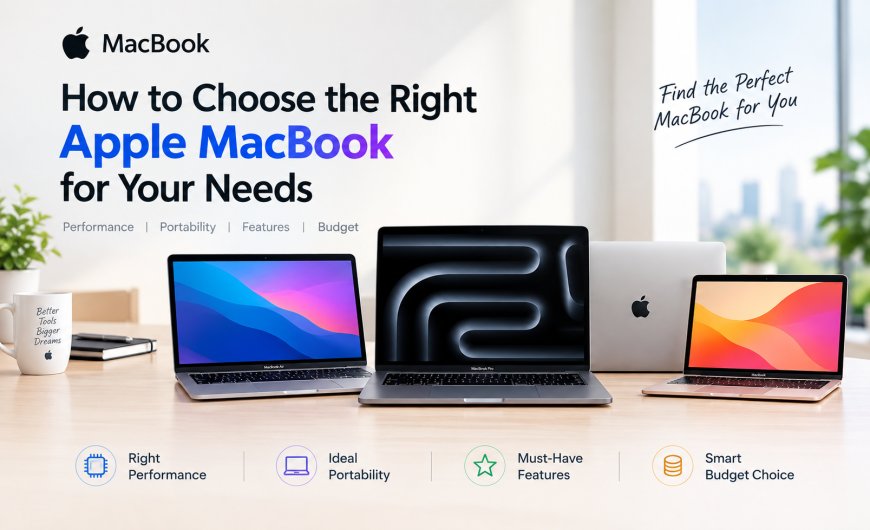
Choosing the right Apple MacBook can be confusing, with multiple models, screen sizes, Apple silicon chips, RAM options and storage configurations available. Whether you are a student, business professional, content creator, designer, developer or everyday user, the best MacBook for you depends on how you plan to use it.
In this complete MacBook buying guide, we explain how to choose the right MacBook based on performance, budget, portability, battery life, RAM, storage and everyday requirements. We also compare MacBook Air vs MacBook Pro to help you make a confident buying decision.
1. Understand the Different MacBook Models
Apple's current MacBook lineup caters to different types of users and budgets. Before choosing a configuration, understand the key differences between the available models.
MacBook Neo
Aimed at users looking for an affordable Mac experience for everyday tasks such as web browsing, online classes, documents, streaming and basic productivity.
MacBook Air
The MacBook Air is designed for students, professionals and everyday users who want a combination of portability, battery life and strong performance. The current M5 MacBook Air is available in 13-inch and 15-inch sizes, with up to 32GB unified memory and up to 4TB SSD storage.
MacBook Pro
The MacBook Pro is designed for demanding professional workloads such as video editing, software development, 3D work, music production and other intensive applications. Current models are available with M5, M5 Pro and M5 Max chips.
2. Choose a MacBook Based on Your Usage
Your workload should be the first factor you consider when buying a MacBook.
- Students: MacBook Air is generally an excellent choice for classes, research, presentations, browsing and productivity.
- Office & Business Users: MacBook Air offers a strong balance of performance, portability and battery life.
- Content Creators: Consider a higher-spec MacBook Air or MacBook Pro depending on your editing workload.
- Graphic Designers: Look for sufficient unified memory, storage and a display suited to creative applications.
- Video Editors: MacBook Pro is worth considering for demanding and sustained video workflows.
- Developers: Choose based on your IDE, containers, virtual machines, databases and development environment.
- AI & Machine Learning Users: Consider higher memory and more powerful Apple silicon configurations when your workflow involves demanding local AI workloads.
The goal is not to buy the most powerful MacBook available—it is to buy the best MacBook for your needs.
3. Choose the Right Apple Silicon Chip
Apple Silicon is one of the most important factors affecting MacBook performance.
The current MacBook range includes the M5 family, with MacBook Air using M5 and MacBook Pro offering M5, M5 Pro and M5 Max options.
A simple way to think about the options:
- M5: Excellent for everyday computing, business, education, coding and many creative workloads.
- M5 Pro: Better suited to professionals handling heavier development, creative and production workloads.
- M5 Max: Designed for users who need maximum performance for highly demanding professional workflows.
For most users, spending more on a higher-tier chip is unnecessary unless their applications can actually take advantage of the additional performance.
4. How Much RAM Do You Need?
MacBooks use unified memory, which is shared between the CPU, GPU and other components. Since memory is not designed to be upgraded later, choosing the right configuration at purchase is important.
For the current M5 MacBook Air, Apple lists 16GB unified memory as standard, with 24GB and 32GB configuration options.
As a general guideline:
- 16GB: Students, office users, browsing, productivity and everyday computing.
- 24GB: Developers, heavier multitasking and moderately demanding creative workloads.
- 32GB+: Professional creative work, large development environments and memory-intensive workflows.
If you are unsure, prioritise the amount of memory your applications actually require rather than paying for the highest specification.
5. Choose the Right Storage
Storage is another important consideration when buying a MacBook because your internal SSD configuration is selected at purchase.
The current M5 MacBook Air starts with 512GB SSD storage and can be configured with up to 4TB.
Which MacBook storage should you choose?
- 512GB: Suitable for students, office users and cloud-focused workflows.
- 1TB: A good choice for professionals, developers and users with larger files.
- 2TB: Useful for photographers, video editors and users managing large project libraries.
- 4TB: Best for users who genuinely need several terabytes of local storage.
Remember that external SSDs and cloud storage can expand your available space, but internal storage is more convenient for frequently used files.
6. Screen Size and Display Considerations
MacBook screen size affects both productivity and portability.
13-inch MacBook Air
Ideal for students, frequent travellers and users who prioritise portability.
15-inch MacBook Air
A better choice if you want more screen space for multitasking without moving to a MacBook Pro.
14-inch MacBook Pro
A strong option for professionals who need higher performance in a relatively compact design.
16-inch MacBook Pro
Best suited for users who want a large professional display and maximum performance.
The current MacBook Air offers 13.6-inch and 15.3-inch Liquid Retina displays, while MacBook Pro is available in 14-inch and 16-inch models.
7. Battery Life and Portability
If you regularly work away from a desk, battery life and weight should be important factors in your decision.
The current M5 MacBook Air is rated for up to 18 hours of battery life, making it particularly attractive for students, professionals and frequent travellers.
Choose a smaller MacBook if portability is your priority. Choose a larger model if screen size and workspace are more important.
8. Ports and Connectivity
Before buying a MacBook, consider the accessories and devices you already use.
Think about whether you need:
- USB-C/Thunderbolt connectivity
- External monitors
- External SSDs
- HDMI
- SD card support
- Headphones
- Docking stations
- MagSafe charging
MacBook Pro offers a wider selection of built-in connectivity, including HDMI and SDXC on current models, while MacBook Air focuses on a thinner and more portable design.
9. MacBook Buying Guide by Budget
Your budget can help narrow down your options quickly.
Entry-Level MacBook
Choose a MacBook Neo or base MacBook Air if your requirements are primarily browsing, education, documents, streaming and everyday productivity.
Mid-Range MacBook
A higher-spec MacBook Air is ideal for professionals, developers and users who want more RAM or storage.
Premium MacBook
MacBook Pro becomes more suitable when you need sustained performance for professional video editing, software development, 3D rendering, music production or other demanding workloads.
Instead of simply searching for the cheapest MacBook, compare the complete configuration and choose the model that gives you enough performance and storage for several years.
10. New vs Higher-Spec MacBook: What Should You Buy?
A common buying decision is whether to purchase the latest base model or an older/higher-spec MacBook.
A newer MacBook can provide advantages such as a newer Apple silicon generation, improved connectivity, updated features and longer-term support.
On the other hand, a discounted higher-spec previous-generation MacBook may offer more memory or storage for your budget.
Before buying, compare:
- Chip generation
- CPU and GPU performance
- RAM/unified memory
- SSD storage
- Display
- Battery life
- Ports
- Warranty
- Current price
- Your actual workload
For example, the M5 MacBook Air now starts with 512GB storage and supports up to 32GB unified memory, making the base configuration more capable than previous entry configurations.
11. Common Mistakes to Avoid When Buying a MacBook
Avoid these common MacBook buying mistakes:
Buying More Performance Than You Need
You may not need a MacBook Pro if your work consists mainly of browsing, Office applications, online meetings and basic creative tasks.
Choosing Too Little Storage
If you regularly work with photos, videos or large project files, 512GB may eventually feel restrictive.
Ignoring RAM
Heavy multitasking, development environments and professional applications can benefit from additional unified memory.
Focusing Only on the Processor
Performance is not determined by the chip alone. RAM, storage, display, ports and thermal design also matter.
Forgetting About Accessories
USB-C hubs, external displays, storage and adapters can add to the total cost of your setup.
Buying Based Only on Price
The cheapest MacBook is not always the best value. Consider your expected usage over the next several years.
12. Quick MacBook Comparison Table
| MacBook | Best For | Performance Level | Portability | Ideal User |
|---|---|---|---|---|
| MacBook Neo | Basic everyday use | Entry-level | Excellent | Students & casual users |
| MacBook Air 13" | Everyday productivity | High | Excellent | Students & professionals |
| MacBook Air 15" | Productivity & multitasking | High | Very Good | Business users & creators |
| MacBook Pro 14" | Professional workloads | Very High | Good | Developers & creators |
| MacBook Pro 16" | Intensive professional work | Maximum | Moderate | Video editors & power users |
Conclusion
Choosing the right MacBook comes down to understanding your workload, budget and long-term requirements. For students and everyday users, a MacBook Air can provide an excellent combination of performance, portability and battery life. For demanding professional workflows, the MacBook Pro offers additional performance and connectivity.
Before making your purchase, carefully compare the MacBook model, Apple silicon chip, RAM, SSD storage, display size, battery life and ports. The best MacBook is not necessarily the most expensive one-it is the one that gives you the right performance and features for the way you work.
Whether you're looking for the best MacBook for students, the best MacBook for business, MacBook Air vs MacBook Pro, M5 MacBook Air, or a professional MacBook Pro, understanding these factors will help you make a smarter buying decision.
What's Your Reaction?
 Like
0
Like
0
 Dislike
0
Dislike
0
 Love
0
Love
0
 Funny
0
Funny
0
 Angry
0
Angry
0
 Sad
0
Sad
0
 Wow
0
Wow
0