

























How to Download Shodhganga Theses & Cite Them (2026)
Download any Shodhganga PhD thesis free in 5 steps and cite it in APA, MLA or Chicago. Fix common errors fast. Get expert thesis help at Anushram.
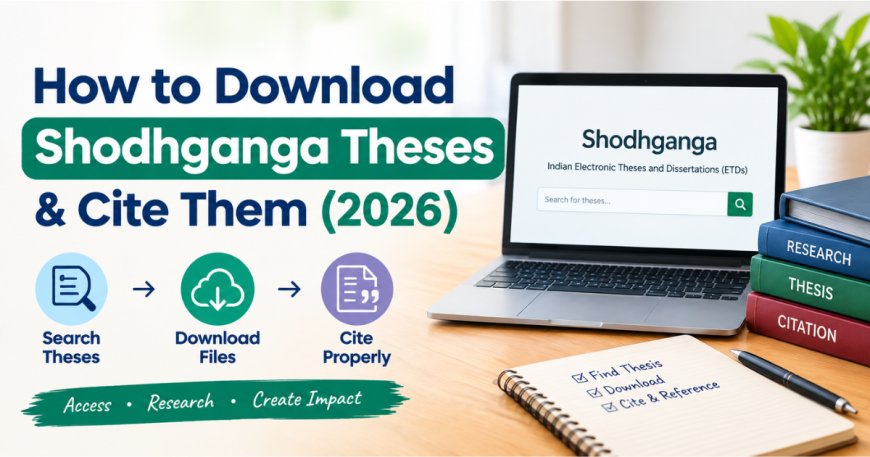
Quick answer: To download a Shodhganga thesis, open shodhganga.inflibnet.ac.in, search by title, author or keyword, open the record, and click View/Open on each chapter PDF. No login or fee is needed. To cite it, name the author, year, thesis title, university and the thesis handle link https://www.anushram.com/article/shodhganga-research-papers-complete-guide-benefits-how-to-use-anushram-advancium-research in your chosen style.
Every PhD scholar in India reaches the same point in the literature review: you need earlier Indian theses, and you need them cited correctly. Shodhganga is where they live. Yet many first-time users struggle with chapter-wise PDFs, slow pages and confusing citation formats.
This guide is written from the way our research team at Anushram uses Shodhganga every week while helping scholars with literature reviews and thesis writing. You will learn how to download thesis from shodhganga, how to cite a Shodhganga thesis in APA, MLA and Chicago, and what to do when a download fails.
What Is Shodhganga? (INFLIBNET's Thesis Repository)
Shodhganga is India's national open-access repository of PhD theses, run by the INFLIBNET Centre, an inter-university centre of the University Grants Commission (UGC). The name roughly means "reservoir of research."
It exists because of a legal mandate. The UGC notification of 1 June 2009 required universities to submit electronic copies of theses and dissertations for open access. Later UGC PhD regulations (2016, and the current 2022 regulations) kept deposit as part of the degree process.
Key facts every researcher should know:
- Size: Shodhganga passed 6,00,000 theses in May 2025, and it keeps growing as 830+ universities contribute.
- Coverage: Social sciences, engineering, life sciences, humanities, Hindi and regional-language theses, from 1924 to 2026.
- Platform: Built on DSpace, so every Shodhganga thesis gets a permanent handle link starting with hdl.handle.net/10603/.
- Sister portal: Shodhgangotri holds synopses of ongoing PhDs, useful for checking whether a topic is already registered.
For scholars, a Shodhganga PhD thesis is more than a reference. Browsing recent shodhganga research topics shows you which problems are saturated, which methods your discipline accepts, and where the genuine research gaps are. If you are still choosing a direction, our guide to Shodhganga research papers for thesis and PhD work explains how to search them strategically.
How to Download Shodhganga Theses: Step-by-Step Guide
Shodhganga thesis download is free and needs no account. Follow these five steps on a laptop or phone:
- Open the official site. Go to shodhganga.inflibnet.ac.in. Avoid third-party mirrors that ask for sign-ups or payment.
- Search or browse. Type your keyword, thesis title or researcher name in the search bar. Or browse by University → Department to see every shodhganga phd thesis from one institution.
- Filter the results. Use the left-side filters for subject, year completed and language to narrow thousands of hits to a useful shortlist.
- Open the record and check the files. Each thesis is split into chapter-wise PDFs, such as title page, certificate, abstract, individual chapters and bibliography.
- Click View/Open, then download. Each PDF opens in your browser. Use the download icon to save it, and repeat for every chapter you need.
Pro tip: Before closing the page, click Show full item record. It lists the exact researcher name, guide, university, department and award date — everything you need for an accurate citation.
If you plan to download several chapters, a free PDF merge tool can combine them into one file for easier note-taking. Keep file names clear, for example "Author_Year_Chapter3.pdf," so your reference manager stays organised.
Short on time for your literature review? Anushram's research experts can shortlist, read and summarise the most relevant Shodhganga theses for your topic. Sign up at Anushram today and get your review structured in days, not months.
How to Cite Shodhganga Thesis in APA, MLA & Chicago
To cite a Shodhganga thesis, treat it as a published doctoral dissertation held in a database. You need five details: author, year of award, title, university and the handle URL. Here are ready-to-use templates (replace the sample details with your own).
Shodhganga thesis citation apa (7th edition):
- In-text: (Sharma, 2021)
- Italicise the title, put the degree type and university in square brackets, and name Shodhganga@INFLIBNET as the database.
Chicago (17th edition, notes-bibliography):
Three accuracy checks before you submit:
- Use the award year from the full item record, not the upload date.
- Always use the handle link, not the long browser URL. Handles stay permanent even if the site structure changes.
- If you cite a single chapter, still cite the whole thesis and add page numbers in the in-text citation.
Follow your university's style manual when it differs, since many Indian universities prescribe APA with small local changes. Scholars preparing final submission can also read our note on UGC thesis submission rules and the Shodhganga mandate.
Common Shodhganga Download Errors & Quick Fixes
Most Shodhganga download problems come from heavy server traffic or browser settings, not from the thesis itself. Use this table to fix them in minutes.
| Page loads slowly or times out | Peak-hour traffic on the server | Retry early morning or late night (IST); refresh once, not repeatedly |
| PDF opens blank or won't load | Browser PDF viewer or extension conflict | Switch browser, turn off download-manager extensions, or save the file first and open it offline |
| "Handle not found" or broken link | Old or copied URL | Search the thesis title on the site and use the fresh handle link |
| Only some chapters available | Partial upload or university restriction | Check the full item record; contact the university library or Shodhganga coordinator |
| Text can't be copied or searched | Older scanned thesis | Use OCR in a PDF tool for notes only, and paraphrase with citation |
| University count missing on homepage | Counts temporarily disabled for performance | Use the Upload Date tab for updated counts |
On mobile, download over Wi-Fi and open files in a dedicated PDF app. Large, image-heavy chapters often fail on weak mobile data.
FAQs: Shodhganga Copyright, Plagiarism & Access Rules
Q1. Is Shodhganga thesis download free?
A. Yes. Every Shodhganga thesis is open access. You can read and download it without registration or payment.
A. Yes. Every Shodhganga thesis is open access. You can read and download it without registration or payment.
Q2. Can I copy text from a Shodhganga PhD thesis?
A. Only with proper citation and within limits. Shodhganga encourages authors to license theses under Creative Commons CC BY-NC-SA 4.0, which allows non-commercial reuse with attribution. Check the licence on each item page, as some state different terms.
A. Only with proper citation and within limits. Shodhganga encourages authors to license theses under Creative Commons CC BY-NC-SA 4.0, which allows non-commercial reuse with attribution. Check the licence on each item page, as some state different terms.
Q3. How do I cite a Shodhganga thesis in APA quickly?
A. Use: Author, A. (Year). Title [Doctoral dissertation, University]. Shodhganga@INFLIBNET. Handle URL.
A. Use: Author, A. (Year). Title [Doctoral dissertation, University]. Shodhganga@INFLIBNET. Handle URL.
Q4. Can I upload my own thesis to Shodhganga?
A. No. Individual scholars cannot upload directly. Your university's appointed Shodhganga coordinator deposits the final, approved thesis.
A. No. Individual scholars cannot upload directly. Your university's appointed Shodhganga coordinator deposits the final, approved thesis.
Turn Shodhganga Research Into a Stronger Thesis
Knowing how to download thesis from shodhganga and cite it correctly saves you weeks. Turning those theses into an original, well-argued literature review is the harder part — and that is where most scholars get stuck.
Anushram helps PhD and Master's scholars across India with:
- Literature reviews built from Shodhganga, Scopus and Web of Science sources
- Correct APA, MLA and Chicago referencing
- Plagiarism checks and ethical paraphrasing before submission
- Research paper publication support for Scopus, SCI, WoS and ABDC journals
Don't let your thesis stall at the review stage. Sign up at Anushram now and talk to a research expert today.
What's Your Reaction?
 Like
0
Like
0
 Dislike
0
Dislike
0
 Love
0
Love
0
 Funny
0
Funny
0
 Angry
0
Angry
0
 Sad
0
Sad
0
 Wow
0
Wow
0

anushram
Best Thesis Writing Services In India and We provide high-quality thesis writing services in India, tailored to university guidelines with expert research support. Get expert research paper, thesis, and dissertation writing services in India. Topic selection, writing assistance, and editing support by professionals.





