7 Tips How to Improve a Holographic Experience
Seven practical tips to improve a holographic experience, covering ambient light, viewing angles, depth cues, spatial audio, interaction and calibration.
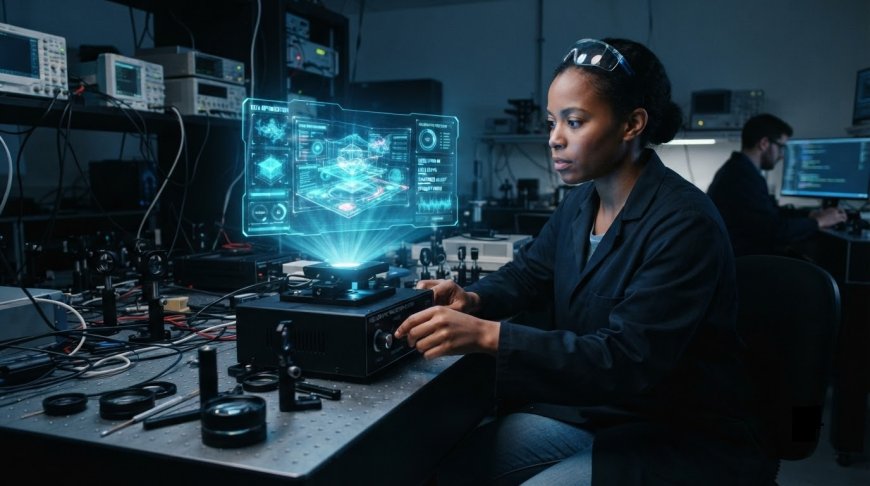
A holographic experience usually looks its best in the first ten seconds. Someone walks up, the floating image registers, and then the small problems surface. Room lights flatten the shadows. The figure looks wrong from the left. The voice-over arrives from a speaker across the room.
None of that is a hardware fault. It is the gap between a system that was installed and an experience that was designed.
What actually improves a holographic experience?
Contrast, sightlines, content design, depth cues, sound, interaction and calibration. The display is one link in that chain.
The hardware produces an image, the room either protects it or ruins it, the content either uses the available depth or wastes it, and the viewer either understands it within seconds or walks on. A better panel improves one link.
The other six are design decisions, and that is where most visible gains sit.
1. Name the technology you are actually working with
"Holographic" covers unrelated methods. True holography reconstructs the interference pattern of light. Light field panels emit many directional views from a flat surface. Volumetric displays build voxels inside a physical volume.
Pepper's Ghost reflects a brightly lit hidden source off an angled transparent surface, which science centres call a reflection illusion, not a hologram.
Each fails differently. Calling them all holograms is how a team promises walkaround viewing on a system with one sightline.
The pipeline behind a reflection illusion shares almost nothing with the one behind light field holographic displays, so settle the format before production starts.
2. Why does ambient light matter so much?
Because these systems add light to a scene and cannot subtract it.
Research on transparent displays from Disney Research puts the constraint plainly: emissive transparent panels cannot block what sits behind them, so content reads as semi-transparent and low contrast against light backgrounds and looks best against dark plain ones.
Pepper's Ghost needs a bright hidden source and a dark reflected volume.
Visitors never say the contrast ratio dropped; they say it looks like a ghost, or just like a screen. Test with every light that will be on during opening hours, including the spotlights next door.
3. Design for the viewing cone, not for the photograph
Every headset-free 3D display has a limited angular range. Looking Glass publishes optimal viewing cones of roughly 53 to 60 degrees, and Pepper's Ghost has a sightline fixed by its reflector geometry.
Step outside that range and depth collapses into crosstalk, doubled edges or a dim flat picture, and people conclude the installation is broken.
Stand where your audience will stand, not where the camera does. Mark the sweet spot and set plinth height for seated visitors as well as standing adults.
In a gallery or on an exhibition stand, furniture layout steers people into the cone.
4. Simplify the image, then build depth back into it
Thin strokes, small type, mid-grey gradients and busy backdrops disappear first once the content competes with a lit room. Strong silhouettes, saturated colour and generous type survive.
Occlusion, shading, familiar size and linear perspective are single-eye depth cues that work on any format, and a slow turntable rotation adds motion parallax that often does more than another texture pass.
The opposite error is pushing more depth than the system can hold: Looking Glass warns that excessive parallax produces blur or jerky movement, so keep the subject near the focal plane.
5. Put the sound where the object appears to be
Sound tells people where to look before their eyes find it.
Studies of virtual environments going back to the 1990s report higher measured presence when audio is spatialised rather than played in mono, because binaural cues give the brain a position to attach the image to.
So place the emitter at the object's position instead of routing narration to a wall speaker. One loud ambient bed running everywhere masks the moment the object appears, which is usually the moment worth hearing.
6. Does interaction make a holographic experience better?
Usually yes, provided there is one clear thing to change and the response is immediate.
Interaction gives someone a reason to stay past the first impression and a way to answer their own question: what is inside, what the back looks like.
A digital twin earns its cost when a visitor can switch construction phases instead of watching a loop.
Two mistakes recur: six controls where one would do, and input that tires people out. Microsoft warns against requiring constant, repeated mid-air gestures, since fatigue builds quickly when a hand has to stay raised.
7. Calibrate the hardware, then test with people who have never seen it
On headset systems, eye calibration sets interpupillary distance, and every new user should run it. Microsoft's mixed reality guidance puts the optimal zone for content between 1.25 and 5 metres, fades content out at 40 centimetres, and asks for at least 60 frames per second to avoid judder.
Tracking depends on the room too: Meta asks for a space that is well lit but out of direct sunlight, without small point lights such as LED strips, mirrors or polished floors.
Then hand it to people who were not in the planning meetings. Watch where they stop, how long understanding takes, and whether a seated visitor sees anything. Most clarity problems appear within three visitors.
Where the gains actually come from
The first four of these tips protect the image, the next two help people read and use it, and the last proves the other six hold up in the room you actually have.
Novelty holds an audience for about ten seconds. After that, people judge a holographic experience the way they judge any other display: can I see it clearly, do I understand it, is it worth standing here.
Those are design and testing questions, and all three can be answered before opening day.
What's Your Reaction?
 Like
0
Like
0
 Dislike
0
Dislike
0
 Love
0
Love
0
 Funny
0
Funny
0
 Angry
0
Angry
0
 Sad
0
Sad
0
 Wow
0
Wow
0