










Real-Time Architecture for Interactive Event Tech
Explore real-time systems architecture for interactive tech events, covering low-latency sensor pipelines, GPU frame budgets, and edge compute reliability.
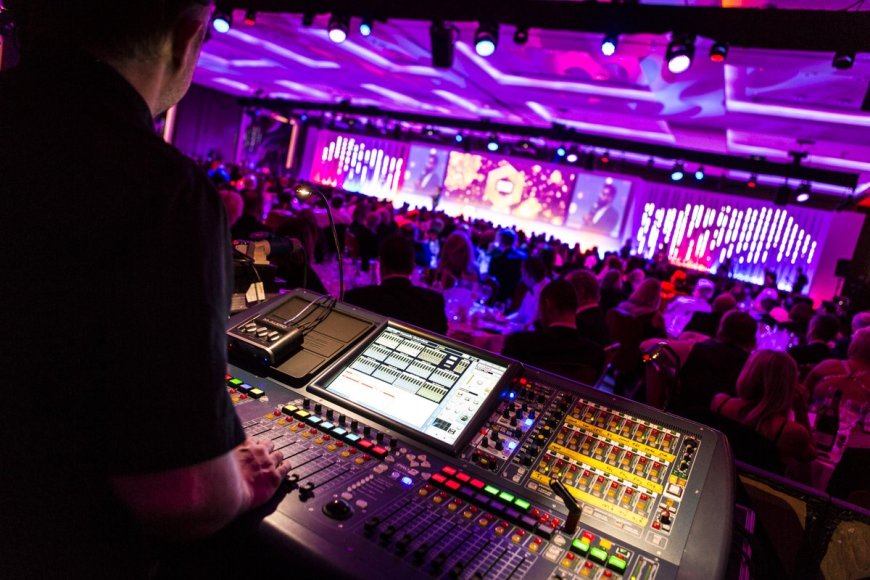
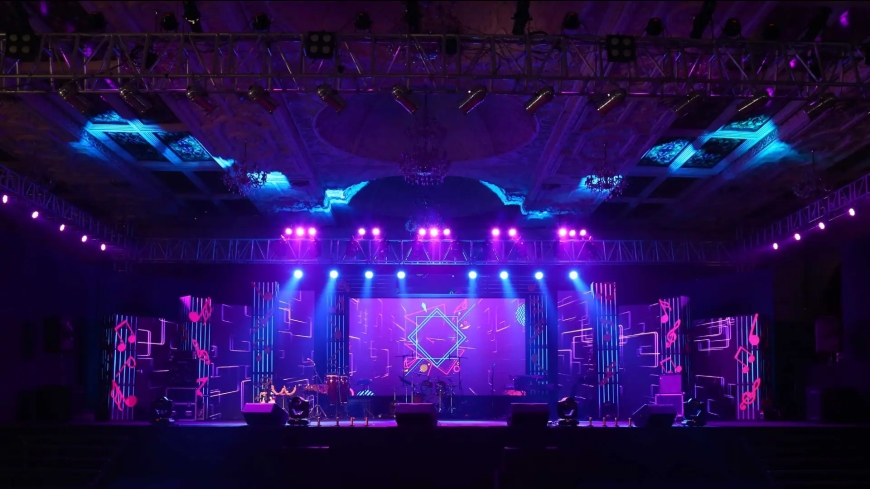
In contemporary enterprise summits, developer conferences, and commercial exhibitions, static visual backdrops and pre-rendered video loops no longer command attendee attention. Modern experiential installations require interactive environments that track, analyze, and react immediately to human physical presence. Delivering this degree of fluid responsiveness demands an underlying software architecture capable of orchestrating multi-camera tracking inputs, spatial audio calculation, and real-time graphics rendering without latency spikes.
Within the technical domain, modern immersive event activation design represents a rigorous systems engineering discipline where computer vision, edge networking, and high-performance game engines converge under demanding live operating conditions.
When hundreds of visitors trigger optical and spatial sensors simultaneously, frame drops, network jitter, or driver memory leaks can break the user experience entirely. Ensuring flawless live uptime requires treating interactive activations as mission-critical distributed systems.

Decoupled Data Pipelines: Isolating Ingestion from Rendering
To guarantee runtime stability across twelve-hour exhibition schedules, software architects avoid coupling sensor input drivers directly to the primary graphics loop. Instead, production installations adopt a decoupled three-tier architecture that isolates sensor ingestion, application state management, and visual output.
Managing Asynchronous Sensor Frequencies
Physical tracking arrays typically incorporate optical LiDAR, structured-light depth cameras, ultrasonic rangefinders, and floor-embedded pressure mats. These hardware components operate on independent clock frequencies, reporting spatial coordinates at sampling rates between 30 Hz and 240 Hz. If device drivers stream raw coordinates directly into the main graphics thread, any driver interruption or dropped USB frame immediately stalls visual rendering.
Production systems isolate sensor acquisition into autonomous background worker daemons. These ingest daemons handle raw signal filtration, coordinate noise suppression, and temporal smoothing before forwarding structured packets downstream. By implementing low-overhead messaging protocols like Open Sound Control (OSC) over UDP or local ZeroMQ sockets, systems ingest tracking data asynchronously without throttling visual render loops.
Unifying Heterogeneous Coordinate Spaces
Multi-sensor physical stages frequently deploy equipment from multiple vendors, each generating distinct spatial coordinate formats. A depth camera outputs millimeter-accurate point clouds relative to its lens axis, whereas an ultra-wideband radio beacon calculates global Cartesian venue coordinates.
The ingestion layer translates these diverse data streams into a normalized spatial matrix before passing coordinates to the interactive application. This abstraction allows technicians to recalibrate hardware or swap physical sensors on the venue floor without rewriting core animation logic or interactive state machines.
Enforcing Deterministic Frame Budgets on Edge GPUs
Interactive installations frequently drive large-scale LED volumes, multi-projector blending grids, or transparent interactive surfaces. Maintaining a locked 60 or 120 frames per second across multi-display outputs requires strict budget enforcement across GPU and CPU cycles.
Draw Call Batching and Compute Shader Offloading
Achieving locked frame rates demands disciplined resource management across engines like Unreal Engine, Unity, TouchDesigner, or WebGL pipelines. Engineers enforce strict draw call budgets, minimizing CPU overhead through geometric mesh instancing, material sharing, and texture atlas consolidation.
Compute shaders execute heavy parallel mathematical calculations, such as simulating thousands of interactive particles or calculating fluid surfaces, freeing the central processor for state logic. Dynamic level of detail (LOD) and frustum culling ensure the graphics processor only renders geometry within the active camera view or projection cone.
Persistent VRAM Allocation and Cache Warming
A frequent cause of failure in live activations is the micro-stutter caused by asynchronous disk input and output. If an attendee triggers a rare interactive state and the engine attempts to load textures or compile shaders dynamically, the visual frame rate plummets.
Production teams eliminate this risk by pre-allocating GPU memory buffers during application launch. All geometry, textures, video clips, and compiled shader variants reside persistently in VRAM. Pre-warming asset caches guarantees instant transitions regardless of attendee interaction patterns.
Local Low-Latency Network Infrastructure
Large installations cannot rely on public cloud architecture or shared convention Wi-Fi networks. Unpredictable packet drops and variable latency on crowded convention floors degrade interactive responsiveness.
Prioritizing UDP Protocols over Public Cloud Links
Engineers deploy dedicated local-area networks built on managed enterprise switches with virtual LAN segregation. Interaction telemetry, hardware control signals, and display synchronization packets travel on isolated, prioritized network queues.
By implementing lightweight UDP packets with delta compression instead of bulky TCP handshakes, systems broadcast participant coordinates across nodes in under five milliseconds. Dedicated hardware genlock or network time protocols synchronize multi-node media servers, eliminating visual tearing.
Edge Compute Rigs Versus Remote Rendering Latency
While cloud computing offers elastic scalability, external bandwidth constraints make cloud rendering impractical for real-time spatial interaction. Reliable setups run interaction loops, computer vision calculations, and final rendering on local edge workstations equipped with professional workstation GPUs.
Cloud infrastructure handles secondary operations, such as telemetry logging, remote health monitoring, and content synchronizations. If external internet connectivity fails, the on-site installation continues running without interruption.
Supervisor Daemons and Live Production Fail-Safes
Exhibition software must operate autonomously for ten to fourteen hours daily across multi-day events without requiring manual technical intervention.
Automated Process Watchdogs and Hot Standbys
Unexpected operating system errors or memory fragmentation can disrupt software stability. Resilient installations incorporate process supervisor daemons, such as systemd services or custom watchdog processes, to monitor application heartbeats, CPU utilization, and GPU temperatures in real time.
If a rendering process terminates unexpectedly, the supervisor restarts the binary within milliseconds. Simultaneously, hardware video switchers route visual outputs to an ambient looping backup feed, preventing audiences from seeing desktop operating systems or terminal prompts.
Thermal Endurance and Resource Profiling
Enclosed kiosks, projection booths, and truss enclosures frequently suffer from restricted airflow. Prior to deployment, systems undergo 48-hour endurance burn-in tests using synthetic automation scripts to detect memory leaks and thermal throttling under peak load. Telemetry agents monitor temperatures on-site, alerting technicians before hardware reaches critical safety thresholds.
Engineering Resilient Live Spatial Experiences
Designing interactive installations for enterprise events is fundamentally a systems engineering challenge. By decoupling sensor ingestion, enforcing strict frame budgets, maintaining isolated local networks, and implementing autonomous recovery protocols, technical teams build experiential systems that remain captivating and rock-solid throughout demanding live productions.
For technical teams managing complex system architectures, integrating multiple disparate workflows into a single manageable framework is crucial. Learn more about unified software management by reading our complete guide on Running Commercial Systems on One Platform to discover best practices for unifying cross-departmental operations and data flows.
What's Your Reaction?
 Like
0
Like
0
 Dislike
0
Dislike
0
 Love
0
Love
0
 Funny
0
Funny
0
 Angry
0
Angry
0
 Sad
0
Sad
0
 Wow
0
Wow
0