












Virtual Gaming PC: Understanding Virtual Desktops in the Cloud
A virtual gaming PC is one example of this approach. It combines virtualization, cloud infrastructure, and remote access to provide a gaming-capable computer through the internet.
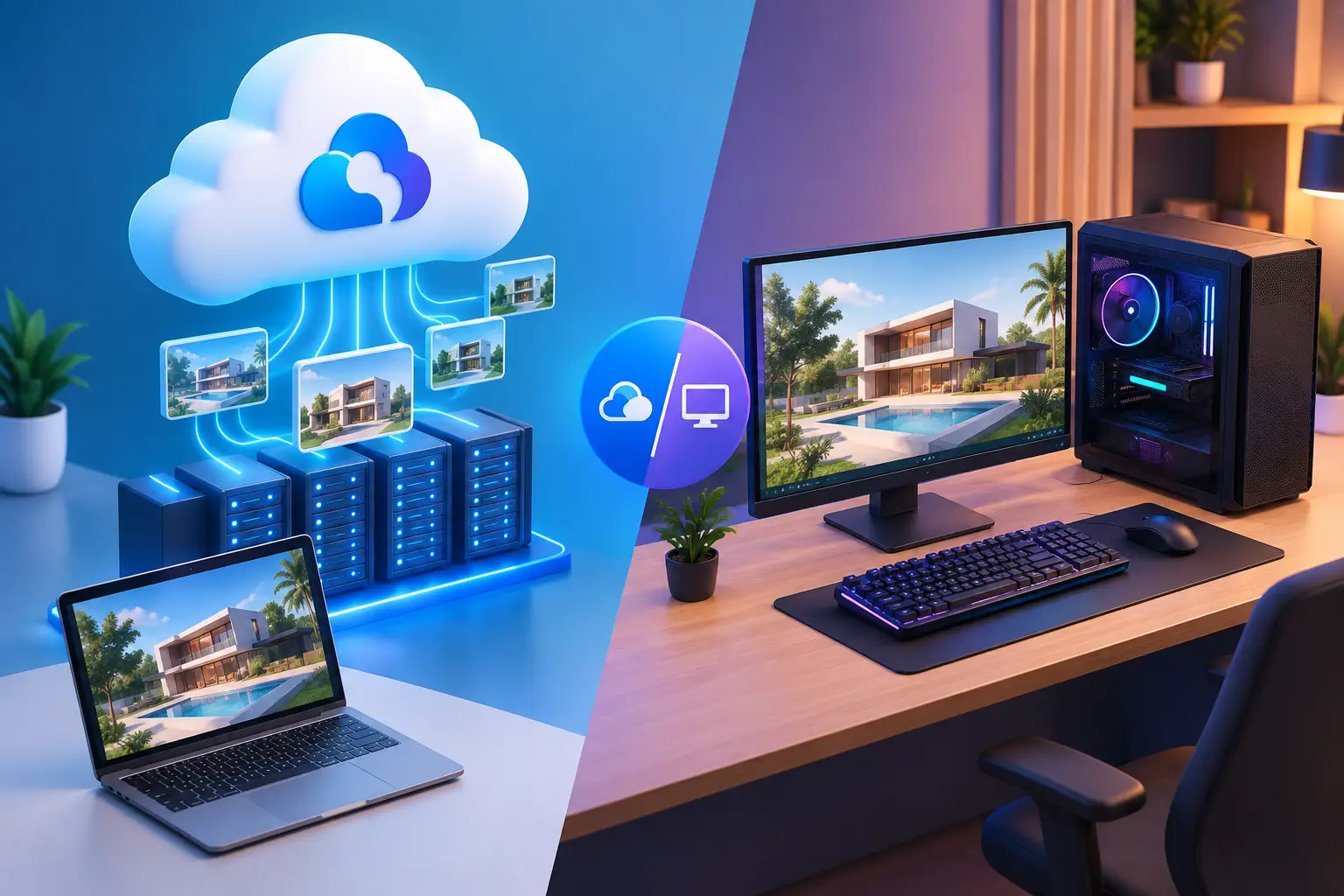
The rise of cloud computing has changed how people access computer hardware. Instead of purchasing a high-performance desktop and keeping it at home, users can access computing resources hosted remotely.
A virtual gaming PC is one example of this approach. It combines virtualization, cloud infrastructure, and remote access to provide a gaming-capable computer through the internet.
For users interested in remote computing, a virtual desktop in the cloud can also provide a broader environment for gaming, productivity, development, and other demanding applications.
What Is a Virtual Gaming PC?
A virtual gaming PC is a remote computer environment created using virtualization technology and configured with hardware resources suitable for supported games.
The physical server hosting the virtual machine may be located in a data center. Users connect to the environment remotely and interact with it through a compatible application or remote desktop interface.
A virtual gaming PC can include:
-
Virtual CPU resources
-
Allocated RAM
-
Cloud storage
-
GPU acceleration
-
A Windows operating system
-
Remote desktop access
-
Game launcher support
The available resources vary between providers and configurations.
How Does a Virtual Gaming PC Work?
The basic concept is similar to using a physical PC, except that the computing hardware is located remotely.
When a user starts a game, the remote machine performs the required processing and rendering. The resulting display is transmitted over the internet to the user's device.
User inputs, such as keyboard, mouse, or controller commands, travel back to the remote computer.
This creates a real-time connection between the local device and the cloud gaming environment.
Because the connection is interactive, network performance is an important part of the experience.
What Is a Virtual Desktop in the Cloud?
A virtual desktop in the cloud is a complete desktop environment hosted on cloud infrastructure.
Rather than accessing only a specific game or application, users can potentially interact with a full operating system and install or use supported software.
A virtual cloud desktop may be used for:
-
Gaming
-
Remote work
-
Software development
-
Graphic design
-
Video editing
-
Testing
-
Education
-
General productivity
This makes virtual desktops broader than dedicated game streaming platforms.
Virtual Gaming PC vs. Cloud Gaming Service
The terms cloud gaming and virtual gaming PC are sometimes used interchangeably, but they can describe different experiences.
A cloud gaming service may provide a selection of supported games through a streamlined interface. The provider manages much of the gaming environment.
A virtual gaming PC can provide a complete remote computer. Depending on the provider, users may have access to Windows, applications, storage, game launchers, and other desktop functionality.
For gamers who want more control over their computing environment, a virtual gaming PC can therefore be a more flexible option.
Why Use a Virtual Gaming PC?
There are several reasons gamers may consider moving some computing workloads to the cloud.
Access More Powerful Hardware
A laptop without a dedicated GPU may struggle with modern games. A cloud-based gaming PC can provide access to more powerful graphics resources remotely.
Avoid Hardware Upgrades
Instead of immediately purchasing a new GPU or gaming desktop, users can explore remote computing options.
Use Different Devices
A compatible laptop or other endpoint can connect to the remote machine, allowing users to access the same type of computing environment from different locations.
Reduce Hardware Maintenance
The physical server infrastructure is maintained by the cloud provider rather than the individual user.
The Importance of GPU Resources
A virtual gaming PC needs appropriate graphics resources for the games it is expected to run.
A GPU cloud PC can provide graphics processing remotely, but the exact performance depends on the GPU model, allocation method, virtualization technology, and other system resources.
Gamers should therefore look beyond general descriptions such as “high-performance cloud PC.”
Before selecting a service, check:
-
GPU model or class
-
CPU resources
-
RAM
-
Storage
-
Supported resolution
-
Game compatibility
-
Server location
Latency and Cloud Gaming
One of the biggest differences between local and cloud gaming is the role of network latency.
With a local gaming PC, the game is rendered directly on the user's machine. With a virtual gaming PC, data must travel between the user's device and the remote server.
Several factors can influence latency:
-
Distance to the server
-
Internet connection quality
-
Network routing
-
Congestion
-
Server workload
-
Streaming configuration
A powerful virtual machine cannot completely compensate for a poor connection.
For this reason, users should test a cloud gaming service from their normal location before relying on it for latency-sensitive gaming.
Sense Cloud and Remote Computing
Sense Cloud is part of SensePC's approach to providing remote computing resources through the cloud.
For users interested in a virtual gaming PC, cloud-based computing can provide access to GPU-powered Windows environments for supported gaming workloads.
The same cloud infrastructure can also be relevant to users who need a broader virtual desktop in the cloud for applications beyond gaming.
Depending on the configuration, a remote cloud computer can support productivity, development, creative workloads, and other demanding tasks in addition to gaming.
What to Consider When Choosing a Virtual Cloud Desktop
Not every virtual desktop is designed for gaming. Before selecting a provider, evaluate the service according to your actual requirements.
Hardware
Check the CPU, GPU, RAM, and storage configuration.
Operating System
If you need Windows applications or specific game launchers, verify operating-system compatibility.
Game Support
Individual games can have their own technical or anti-cheat requirements. Confirm that your preferred titles are supported.
Server Location
A closer server can potentially reduce network latency, although actual performance depends on routing and connection quality.
Pricing
Cloud providers may offer subscription, hourly, or other pricing models. Consider your expected usage before selecting a plan.
Support
Reliable technical support can be particularly useful when accessing a remote desktop because connectivity and configuration issues can require provider assistance.
Is a Virtual Gaming PC Worth It?
A virtual gaming PC can be useful for gamers who have capable internet access but do not want to purchase a high-end local computer.
It can also be useful for people who already own a lightweight laptop and want access to additional computing power when needed.
However, cloud gaming is not ideal for everyone. Users who require offline gaming, extremely low latency, or complete hardware control may still prefer a traditional local gaming PC.
Final Thoughts
A virtual gaming PC combines cloud infrastructure, virtualization, GPU resources, and remote access to create an alternative to traditional gaming hardware.
A virtual desktop in the cloud extends the concept beyond gaming, providing a remotely accessible computing environment for work, development, creative applications, and other workloads.
For users exploring these possibilities, Sensepc Cloud offers a cloud-based approach to remote computing and supported gaming workloads. As with any cloud service, the right choice depends on hardware requirements, game compatibility, server location, network quality, pricing, and the type of remote access needed.
What's Your Reaction?
 Like
0
Like
0
 Dislike
0
Dislike
0
 Love
0
Love
0
 Funny
0
Funny
0
 Angry
0
Angry
0
 Sad
0
Sad
0
 Wow
0
Wow
0