12 Things to Check Before Uploading Your Gang Sheet
Check these 12 important details before uploading your DTF gang sheet, including artwork quality, sizing, spacing, transparency, file format, and layout.
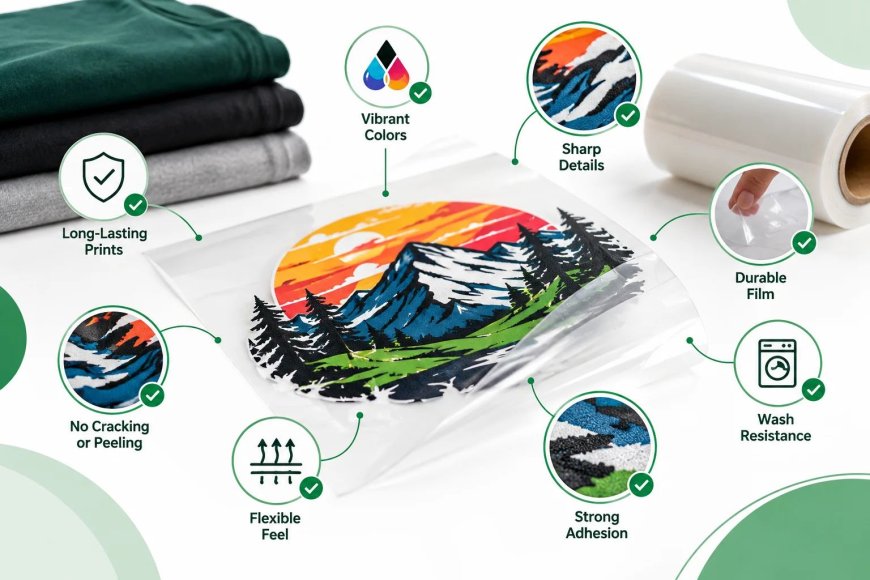
A well-prepared gang sheet can make DTF printing more efficient by fitting multiple designs onto one printable sheet. However, small artwork or file-preparation mistakes can lead to wasted space, incorrect sizing, blurry prints, or delays during production.
Before uploading your gang sheet, take a few minutes to review the artwork and file settings. These 12 checks can help print shops, apparel brands, and other DTF buyers prepare files more accurately and avoid common production problems.
1. Confirm the Final Design Size
Check the intended dimensions of every design before placing it on your gang sheet. A logo for a left-chest print, for example, will usually require a different size than a large front or back design.
Do not assume the printer will automatically resize every graphic to your preferred dimensions. Confirm the required size before uploading so the finished transfers are suitable for the garments you plan to decorate.
2. Use High-Resolution Artwork
Start with the highest-quality artwork available. Low-resolution images can become pixelated or blurry when enlarged, which may be visible on the finished transfer.
For raster artwork, a resolution of around 300 DPI at the intended print size is commonly recommended. Vector artwork can also be useful because it can be scaled without the same loss of quality associated with raster images.
3. Check the Background
Make sure unwanted backgrounds have been removed from your artwork. A white or colored background that is accidentally included in the file may become part of the printed design.
Transparent backgrounds are generally useful when you want only the graphic itself to be transferred onto the garment. Always inspect the file against a contrasting background before uploading.
4. Inspect Small Text and Fine Details
Zoom into your designs and check small lettering, thin lines, and intricate details. Elements that look acceptable on your computer screen may become difficult to reproduce if they are extremely small or thin.
Avoid unnecessarily tiny text and delicate details that could be difficult to print or weed visually from the surrounding design.
5. Confirm Transparency
Transparency should be intentional. Check whether partially transparent areas, shadows, glows, or faded effects are actually part of the artwork and whether your chosen DTF production process supports the intended appearance.
Review the artwork carefully before uploading rather than assuming every transparent element will print exactly as it appears in your design software.
6. Verify Color and Artwork Appearance
Review the colors in your final artwork before placing it on the gang sheet. If the design contains brand colors, gradients, or multiple shades, make sure the file represents the approved version.
Keep in mind that colors displayed on a monitor can differ from the final printed result. A properly prepared file helps create more predictable output, but the garment color and printing process can also influence how colors appear.
7. Leave Appropriate Spacing Between Designs
Avoid placing designs too close together. Adequate spacing makes individual transfers easier to cut, handle, and apply after printing.
The exact spacing requirement can vary by printer and gang sheet specifications, so follow the supplier's file-preparation guidelines. If you're unsure, check the requirements before finalizing the sheet.
8. Arrange Designs Efficiently
A gang sheet is most useful when the printable area is used efficiently. Arrange designs to reduce unnecessary empty space while still leaving enough room between individual graphics.
You can manually arrange your artwork or use a DTF Gang Sheet Builder to organize designs on the available printable area. Efficient nesting can help you fit more usable transfers onto a sheet and reduce wasted space.
9. Check the Gang Sheet Dimensions
Before uploading, confirm that your gang sheet matches the available sheet size. Different suppliers may offer different dimensions, so don't assume that a file prepared for one printer will automatically meet another printer's specifications.
If you need several different transfer sizes, review the available options through DTF Transfers By Size and prepare your artwork accordingly.
10. Use the Correct File Format
Check the supplier's accepted file formats before uploading. PNG files with transparent backgrounds are commonly used for DTF artwork, while some workflows may also accept formats such as TIFF, PSD, PDF, or other production-ready files.
The important point is to follow the printer's specific requirements. A technically high-quality file can still cause problems if it is uploaded in an unsupported format or contains unexpected layers or effects.
11. Review the File Before Submission
Take one final look at the entire gang sheet before clicking upload. Check the design count, dimensions, orientation, spacing, spelling, transparency, and overall arrangement.
This final review is particularly important for larger orders. Finding an incorrect logo or missing design before production is much easier than discovering the issue after the transfers have been printed.
12. Confirm Your Order Details
Finally, make sure the uploaded file matches the order you are placing. Verify the quantity, sheet size, transfer dimensions, artwork, and any production instructions.
For businesses placing recurring or larger orders, Bulk and Wholesale DTF Printing can support higher-volume production needs. Keeping your artwork files organized and clearly named can also make repeat orders easier to manage.
What If You Need a Custom Gang Sheet?
Not every project uses the same artwork sizes or arrangement. If you need transfers prepared for specific garments, logos, promotional products, or apparel collections, custom DTF transfers can provide greater flexibility.
The key is to communicate your requirements clearly and follow the supplier's artwork specifications. This helps reduce unnecessary revisions and makes the production process more predictable.
Final Checklist Before Uploading
Before submitting your gang sheet, confirm:
-
Final dimensions are correct
-
Artwork is high resolution
-
Unwanted backgrounds are removed
-
Transparency is intentional
-
Small text and details are readable
-
Colors and artwork have been reviewed
-
Designs have enough spacing
-
Printable space is used efficiently
-
Gang sheet dimensions match the order
-
File format meets supplier requirements
-
The complete sheet has been reviewed
-
Order details match the uploaded artwork
A few minutes of file preparation can prevent avoidable production problems. Whether you're ordering a small batch or preparing files for regular apparel production, a clean and properly organized gang sheet makes the DTF workflow easier from upload to final application.
What's Your Reaction?
 Like
0
Like
0
 Dislike
0
Dislike
0
 Love
0
Love
0
 Funny
0
Funny
0
 Angry
0
Angry
0
 Sad
0
Sad
0
 Wow
0
Wow
0