


















4 awesome Galaxy Watch features I wish someone had told me about sooner
My history with Samsung Galaxy Watches goes back to before Wear OS, but I took a break from them for a couple of years. I recently strapped a Galaxy Watch to my wrist again, and I might have done it sooner had I known about a few handy features.

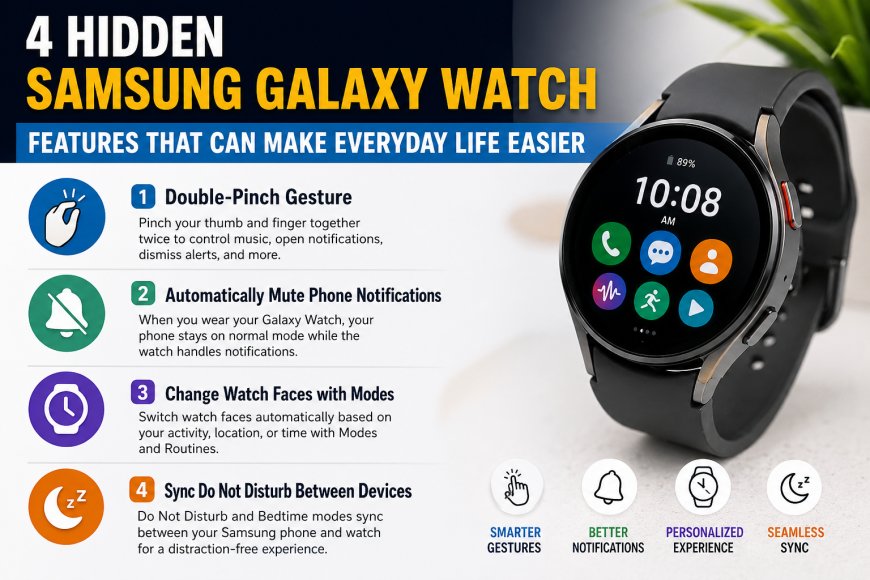
Samsung Galaxy Watches offer much more than fitness tracking and notifications. Many users are unaware of several powerful features that can improve convenience, productivity, and overall smartwatch experience. Here are four useful Galaxy Watch features worth trying.
1. Double-Pinch Gesture for Quick Actions
One of the most useful features on Galaxy Watch is the Double-Pinch Gesture. Instead of tapping the small screen repeatedly, users can perform certain actions by pinching their thumb and finger together twice.
With this feature, you can:
-
Open notifications
-
Control music playback
-
Dismiss alerts
-
Respond to messages using voice input
It provides a faster and more convenient way to interact with your smartwatch.
2. Automatically Mute Phone Notifications
Galaxy Watch can automatically manage phone notifications when you're wearing the watch. This means your phone can stay on normal sound mode while the watch becomes the primary notification device.
Benefits include:
-
Fewer interruptions from your phone
-
Seamless notification management
-
No need to manually switch between silent and sound modes
This setting can be enabled through the Galaxy Wearable app.
3. Change Watch Faces with Modes
Samsung's Modes and Routines feature allows users to customize their watch experience based on different situations.
For example:
-
A fitness-focused watch face during workouts
-
A minimalist watch face during relaxation
-
A professional watch face for work hours
The watch face changes automatically based on the selected mode, creating a more personalized experience.
Also read : Cyber Security career roadmap 2026: Complete beginer to Expert smart Guide
4. Sync Do Not Disturb Between Phone and Watch
If you use a Samsung phone with your Galaxy Watch, Do Not Disturb and Bedtime Modes can sync automatically between both devices.
This means:
-
Notifications stay consistent across devices
-
Bedtime Mode activates everywhere at once
-
You won't be disturbed by alerts while sleeping
The feature helps create a smoother and more connected Samsung ecosystem experience.
Why These Features Matter
Many Galaxy Watch owners focus only on fitness tracking and health monitoring. However, these hidden features can significantly improve daily usability and make the smartwatch feel more intuitive and efficient.
Samsung Galaxy Watches include several smart features that often go unnoticed. From gesture controls and notification management to automatic mode syncing, these tools can enhance your overall experience and help you get more value from your smartwatch.
What's Your Reaction?
 Like
0
Like
0
 Dislike
0
Dislike
0
 Love
0
Love
0
 Funny
0
Funny
0
 Angry
0
Angry
0
 Sad
0
Sad
0
 Wow
0
Wow
0