














What Can You Learn in an HTML CSS & Bootstrap Certification Course?


Learning to develop websites starts with knowing how web pages are structured and styled and how they render on various devices. HTML, CSS and Bootstrap are popular technologies that allow amateurs to create beautiful, responsive websites. An HTML CSS & Bootstrap certification course for beginners can teach important coding basics in a number of different ways, from structured lessons to hands-on exercises to website projects. With these basic technologies, students can learn how sites are built as well as develop the technical know-how to pursue more web design and front-end development opportunities.
What Are HTML, CSS, and Bootstrap?
Website development is a little different when you talk about HTML, CSS, and Bootstrap. Understanding how they integrate allows novices to develop structured, aesthetically pleasing, and responsive web pages.
-
HTML: HyperText Markup Language provides the structure of a webpage. It helps developers organize headings, paragraphs, images, links, lists, forms, and other content.
-
CSS: Cascading Style Sheets control the visual appearance of webpages, including colors, typography, spacing, borders, backgrounds, and layouts.
-
Bootstrap: Bootstrap is a front-end framework that provides a responsive grid system and reusable components, helping developers create consistent website layouts more efficiently.
Knowledge of these technologies provides learners with the basis for creating websites from the ground up or modifying pre-existing layouts.
How Can Practical Training Improve Coding Skills?
Hands-on practice allows students to apply concepts as they learn how webpage components interact. Rather than memorizing code, students can build small parts of a website, run their code, find errors, and make their work better.
An organized HTML CSS & Bootstrap certification course for beginners may involve tasks such as making a personal webpage, styling a navigation bar, styling buttons, and creating responsive page layouts. These tasks make the students a little more at ease when writing and editing code.
Building Webpages with HTML and CSS
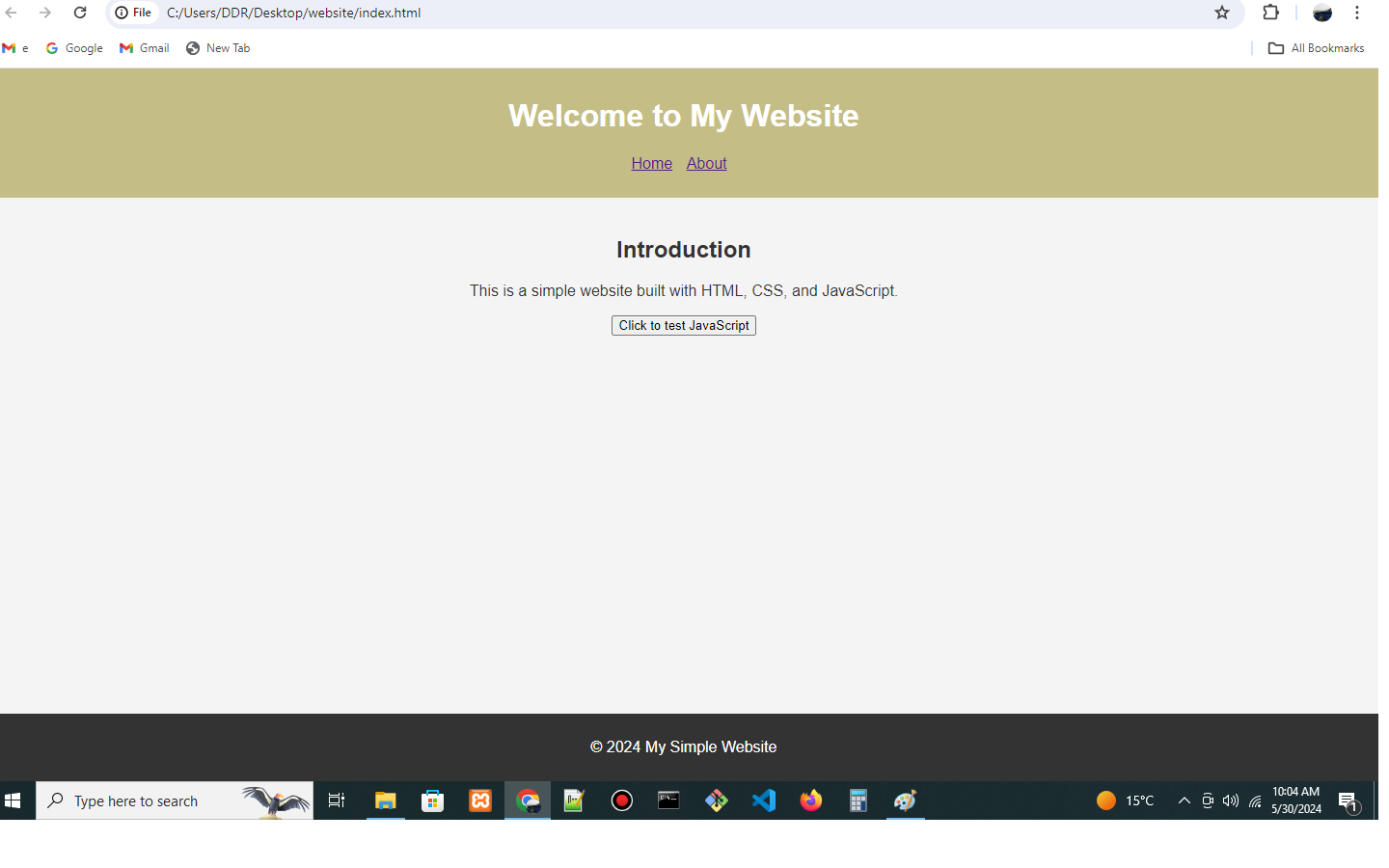
HTML allows you to structure content on the web into logical sections, and CSS allows you to make those sections look nice. Students can experiment with making headings, paragraphs, images, lists, links and contact forms before they add styles to enhance readability and presentation.
They can also be taught simple design principles, choosing fonts, color schemes, margins, padding and borders. These core concepts for beginners allow them to maintain uniformity while designing different sections of a webpage.
Creating Responsive Layouts with Bootstrap
Modern websites are expected to function on mobile phones, tablets, and desktop computers. Bootstrap helps developers create responsive layouts with its grid system and a variety of predefined components.
Students can practice making navigation menus, cards, buttons, forms, and multi-column sections. They can also find how to modify layouts for different screen sizes and to check if text is still easy to read on smaller devices.
Why Is Offline HTML and CSS Training Useful?
In-person learning can help novices to get direct assistance as they practice coding. Students have the ability to ask questions, discuss errors, and get feedback as they complete several exercises in developing a website.
For learners who like a structured lesson and face-to-face interaction, offline HTML and CSS training may be a good option. Guided practice can help students gradually learn to code and build better problem-solving habits.
Hands-on training should ideally have work assignments, ongoing feedback, and projects that enable students to put their knowledge to use. Students also benefit from keeping code organized, testing pages in browsers, and learning to recognize common HTML and CSS mistakes.
What Projects Can Beginners Create?
Project-based learning helps students to put together HTML, CSS and Bootstrap to create full webpage layouts. For beginners, you can start with easy tasks and slowly move to more advanced projects.
Examples include:
-
A personal portfolio site featuring an intro, skills, and ways to contact.
-
A business responsive one-page template with a few service segments, well-organized and company navigation.
-
A multi-section website template using Bootstrap cards, forms, buttons, and responsive columns.
It helps students to get used to how pieces of the puzzle connect with each other by practicing regularly. You can also include completed projects in a portfolio to show off improving skills.
How Can HTML and CSS Support Front-End Development Careers?

HTML, CSS, and Bootstrap are essential building blocks for front-end development. After students have grasped these basics, they will be able to dive into JavaScript, interactive front ends, web accessibility, version control, and more like technologies.
Students who want to take front end developer training in Zirakpur can enhance their basics by learning how web pages respond to user inputs and how they build interactive components. By marrying design concepts with coding skills, students are better equipped to tackle advanced projects and consider entry-level roles.
Conclusion
Beginners use HTML, CSS, and Bootstrap to learn webpage structure, visual styling, and responsive design. With hands-on exercises and real-world projects, you will learn the fundamentals of building your own site and gain confidence in coding. HTML CSS & Bootstrap certification course for beginners may help you get started if you are a student and want to learn the basics of web design and front end development. With regular practice, more projects and continued learning, they can build on these skills and move on to even more advanced technologies.
What's Your Reaction?
 Like
0
 Dislike
0
 Love
0
 Funny
0
 Angry
0
 Sad
0
 Wow
0





