












What Maintenance Does an AV Integration System Need? A Simple Guide
Learn what maintenance an AV integration system needs, including equipment checks, cable inspection, cleaning, software updates, and network testing.
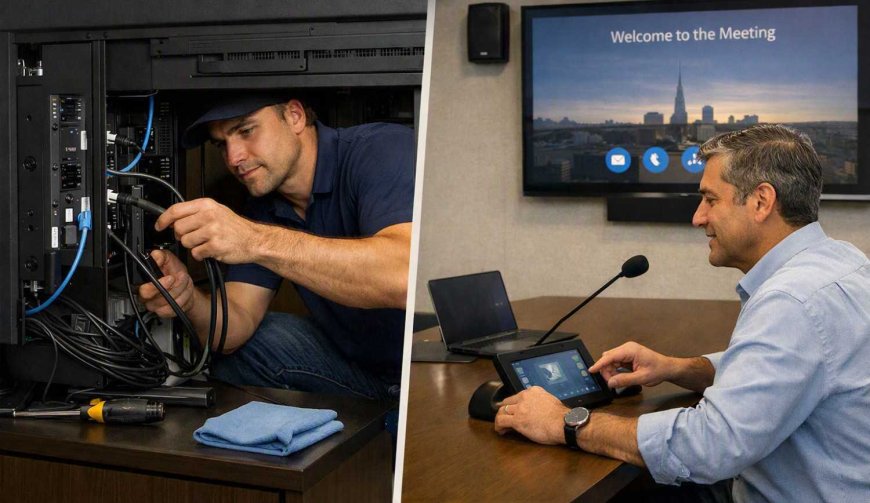
An AV system can include displays, projectors, speakers, microphones, control panels, cables, and network equipment. For av integrators in uae, regular maintenance is an important part of keeping these different components working together properly. Even a well-installed system can develop small problems over time because of dust, heat, frequent use, loose connections, software changes, or equipment wear.
Why Does an AV System Need Maintenance?
AV equipment is used regularly in meeting rooms, classrooms, offices, hotels, homes, and event spaces. Daily use can gradually affect performance. A projector may become less bright, a microphone may produce unwanted noise, or a display may stop connecting correctly.
Regular checks help identify these issues before they become larger problems. Maintenance also helps keep the system reliable and makes it easier to find the source of a problem when something goes wrong.
Check Displays and Projectors
Screens, LED displays, televisions, and projectors should be checked regularly. Dust can collect around ventilation areas and may affect cooling. Projector lenses can also become dirty, which can reduce image clarity.
The display should be checked for unusual lines, flickering, colour changes, or brightness problems. Projectors may also need lamp or filter checks depending on the model.
Cleaning should always follow the equipment manufacturer's instructions. Using unsuitable cleaning materials can damage sensitive screens or lenses.
Inspect Speakers and Microphones
Audio equipment needs regular testing because small problems can affect meetings and presentations. Speakers should be checked for distortion, unusual sounds, or changes in volume.
Microphones should also be tested for clear voice pickup. Wireless microphones require additional attention because batteries can lose charge and wireless connections can sometimes become unstable.
It is useful to test microphones from different positions in a room. This can show whether certain areas have weak sound or unwanted noise.
Check Cables and Connections
Cables are easy to overlook, but they are an important part of an AV system. HDMI, USB, network, audio, power, and control cables can become loose or damaged with repeated use.
During maintenance, connections should be inspected for visible damage and tested where necessary. A loose cable can cause problems such as no signal, intermittent audio, or an unstable display.
Cable labels should also remain clear. Good labeling makes troubleshooting easier when several devices are connected together.
Keep Control Systems Updated
Many modern AV systems use control panels or software to manage displays, audio, lighting, and other equipment. These systems may require software or firmware updates.
Updates can improve compatibility and fix technical problems, but they should be handled carefully. Before making a major update, it is useful to check whether the new software supports the connected equipment.
Settings should also be backed up when possible. This can save time if a controller needs to be reset or replaced.
Maintain Network Connections
Network connectivity is becoming an important part of many AV systems. Some displays, control systems, streaming devices, and conferencing equipment depend on a stable network.
Network-related maintenance can include checking connections, reviewing device status, and making sure equipment can communicate correctly. Problems may sometimes appear to be an AV fault when the actual cause is a network connection.
Control Dust, Heat, and Moisture
The environment around AV equipment can have a major effect on its performance. Dust can block ventilation, while excessive heat can place additional stress on electronic components.
Equipment should have enough space for proper airflow. Ventilation openings should not be blocked by furniture or other objects.
In areas with high humidity or changing temperatures, equipment should also be protected from moisture and unsuitable environmental conditions.
Test the Complete System
Individual components may work correctly while the complete system still has a problem. For this reason, the entire setup should be tested from time to time.
A complete test can include turning on the equipment, checking video sources, testing audio, changing inputs, using the control interface, and checking connected network devices.
For systems used frequently, a simple maintenance record can be useful. It can include the date of inspection, equipment checked, problems found, and any action taken.
How Often Should AV Equipment Be Maintained?
The ideal maintenance schedule depends on how the system is used. A meeting room used every day may need more frequent checks than a system used only occasionally.
Basic visual checks can be performed regularly, while deeper technical inspections can be scheduled at longer intervals. Equipment that is exposed to dust, heat, or heavy daily use may require additional attention.
Keeping maintenance records also helps identify repeated problems. If the same device or connection fails several times, it may indicate that further inspection is needed.
Regular care allows av integrators in uae to identify common equipment issues, maintain system performance, and keep different AV components working together more consistently.
What's Your Reaction?
 Like
0
Like
0
 Dislike
0
Dislike
0
 Love
0
Love
0
 Funny
0
Funny
0
 Angry
0
Angry
0
 Sad
0
Sad
0
 Wow
0
Wow
0