













How to Download a Video From a URL
Learn how to download a video from a URL using a browser based video downloader. Follow simple steps to save supported online videos.
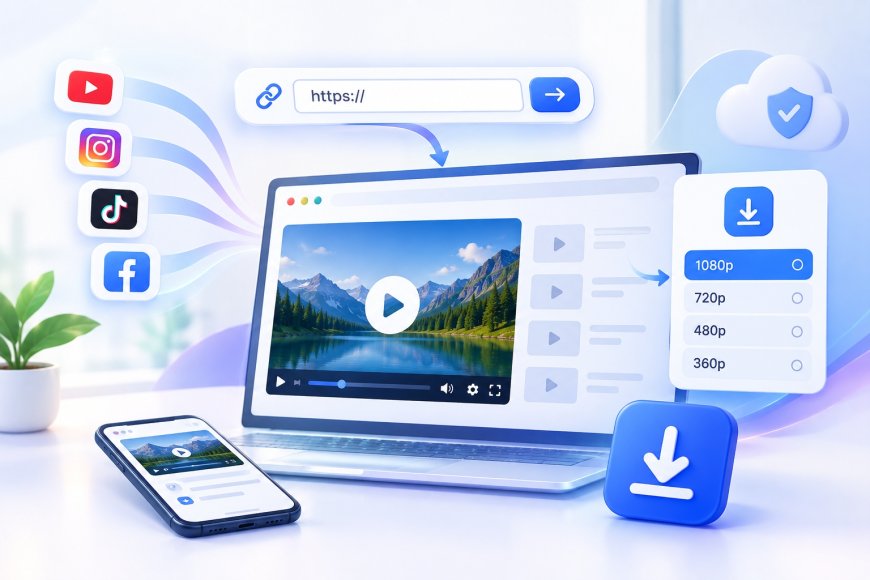
Finding a useful video online is easy, but saving that video for later can sometimes be confusing. Whether you found a tutorial, educational video, presentation, or other permitted content, you may want to keep a copy available for offline viewing. One of the simplest options is to use an online video downloader that works directly in your web browser.
A browser based tool such as ClipSave can help you download supported videos from a URL without requiring additional software. The process is generally simple and can be completed on a computer, tablet, or mobile device.
What Is a Video URL?
A video URL is the web address that points to a specific video or the page where that video is available. When you share a video with someone or copy its link from a platform, you are usually copying its URL.
For example, many websites provide a Share option that allows you to copy the video link. Once you have the URL, an online video downloader such as ClipSave may be able to process it if the video and platform are supported.
The exact format of a video URL can vary between websites. Some platforms use short URLs, while others include additional information in the address.
How to Download a Video From a URL
The basic process is straightforward. You only need the video URL, a compatible browser, and an online video downloader that supports the website where the video is hosted.
1. Find the Video You Want to Save
Start by opening the website or platform where the video is available. Find the specific video you want to download and make sure it is content you are allowed to save.
If the platform provides a Share button, look for an option such as Copy Link. On some websites, you can also copy the address directly from the browser address bar.
2. Copy the Video URL
After finding the video, copy its URL.
On a computer, you can usually click the address bar, select the full URL, and copy it. On a mobile device, use the platform's sharing options and select the option that copies the video link.
Make sure you copy the complete address. An incomplete URL may not be recognized by an online video downloader.
3. Open ClipSave
Next, open ClipSave, a browser based video downloader designed to process supported video URLs without requiring you to install a separate application.
Using an online tool can be convenient when you only need to download a video occasionally. It also means you can access the service through a browser instead of keeping additional software on your device.
4. Paste the URL
Paste the copied video URL into the downloader's input field.
ClipSave will attempt to recognize the URL and process the video if the website and content are supported. Depending on the service and video, this may take a few moments.
If the URL is not recognized, check that you copied it correctly and that the video is publicly accessible and supported by the downloader.
5. Choose an Available Download Option
If the video is supported, ClipSave may display one or more available options. These can vary depending on the original platform, video quality, format, and other technical factors.
Select the option that best matches your needs and start the download.
Once the process is complete, the video may appear in your device's default download folder or another location selected by your browser.
Can You Download Videos From Any URL?
No. Not every video URL can be downloaded using an online video downloader.
A downloader needs to support the website and the type of content associated with the URL. Some websites also use technical protections, private content settings, streaming systems, or other restrictions that can prevent downloading.
For this reason, ClipSave and other online video downloaders should not be expected to work with every URL found on the internet.
It is also important to respect copyright and platform rules. Only download videos when you have permission to save them or when downloading is otherwise permitted.
What Makes Online Video Downloading Useful?
There are several reasons people may want to save online videos.
You may want to keep educational material for offline study, save your own uploaded content, watch a permitted video when you have limited internet access, or keep useful reference material available for later.
An online video downloader such as ClipSave can make this process more convenient because you do not necessarily need to install dedicated software.
Browser based tools can also be useful across different devices. If your device has a compatible browser and an internet connection, you may be able to access ClipSave without installing another application.
Tips for Downloading Videos From URLs
Before downloading a video, check that the URL is correct and that the video is publicly accessible. If ClipSave does not recognize the link, try copying the URL again directly from the platform.
It is also a good idea to use a reliable browser and avoid clicking suspicious advertisements or unrelated download buttons on unfamiliar websites.
Choose a suitable video quality when options are available. Higher quality usually means a larger file, while lower quality can be more convenient when storage space or internet speed is limited.
Most importantly, consider the rights associated with the video. Downloading a video does not automatically give you permission to republish, distribute, edit, or use it commercially.
Frequently Asked Questions
Q1. Can I download a video using only its URL?
Ans: Yes, supported video URLs can often be processed through an online video downloader such as ClipSave. The website and video must be supported, and the content should be accessible.
Q2. Do I need to install software to download a video from a URL?
Ans: Not necessarily. ClipSave is browser based, so supported URLs can be processed directly through a web browser without installing dedicated software.
Q3. Can I download a video from a private URL?
Ans: Usually, private or restricted videos may not be supported. Access restrictions and platform protections can prevent an online downloader from processing the content.
Q4. Why is my video URL not working?
Ans: There can be several reasons. The URL may be incomplete, the video may no longer be available, or the website may not be supported by ClipSave. Try copying the link again and checking whether the original video is still accessible.
Q5. Can I download videos on a mobile phone?
Ans: Yes, browser based video downloader tools such as ClipSave can be accessed from compatible mobile browsers. The available options depend on the website, device, browser, and supported content.
Q6. Is it legal to download a video from a URL?
Ans: It depends on the video, its copyright status, the platform's rules, and your reason for downloading it. Download content that you own or have permission to save and use, and follow applicable copyright and platform requirements.
Conclusion
Learning how to download a video from a URL is relatively simple when the video and website are supported. You can copy the video URL, open ClipSave or another compatible browser based video downloader, paste the link, select an available download option, and save the supported video to your device.
The main advantage of using an online video downloader is convenience. With ClipSave, you can access supported video downloading features through your browser without necessarily installing additional software. This can make saving permitted online videos easier across computers and mobile devices.
However, not every URL will work, and downloading a video does not provide automatic permission to reuse its content. Always check the platform's rules and make sure you have the necessary rights before downloading or sharing a video.
When used responsibly, ClipSave can provide a convenient browser based way to keep permitted online content available for offline access.
What's Your Reaction?
 Like
0
Like
0
 Dislike
0
Dislike
0
 Love
0
Love
0
 Funny
0
Funny
0
 Angry
0
Angry
0
 Sad
0
Sad
0
 Wow
0
Wow
0